- Grid Format – Arrange images in a structured, organized layout.
- Interactive Carousel – Display images in a scrollable format for dynamic presentation.
- Masonry - Display multiple sized images in a grid like format.
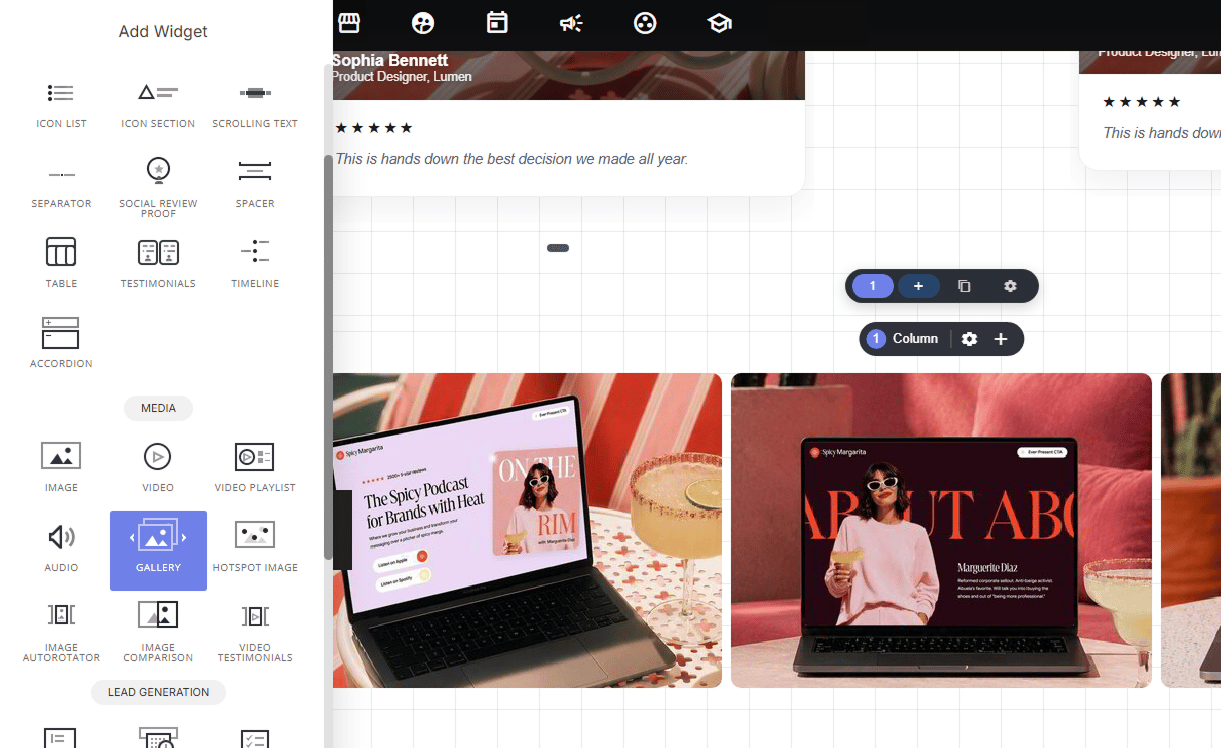
Adding images
To add an image or multiple images, select the edit images tab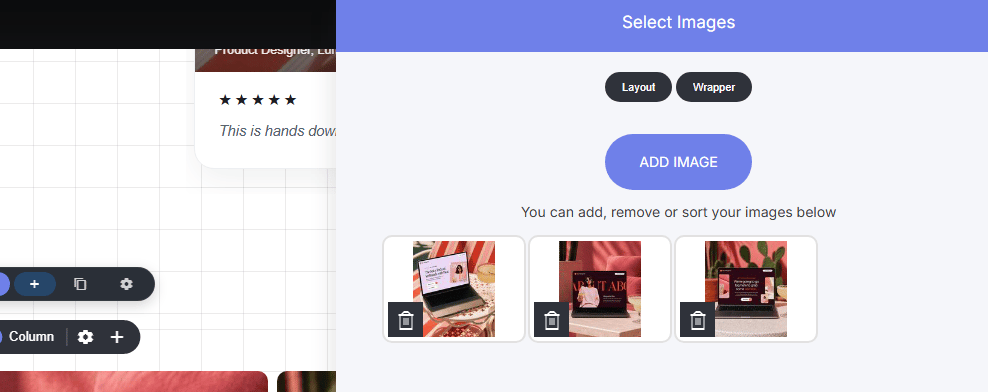
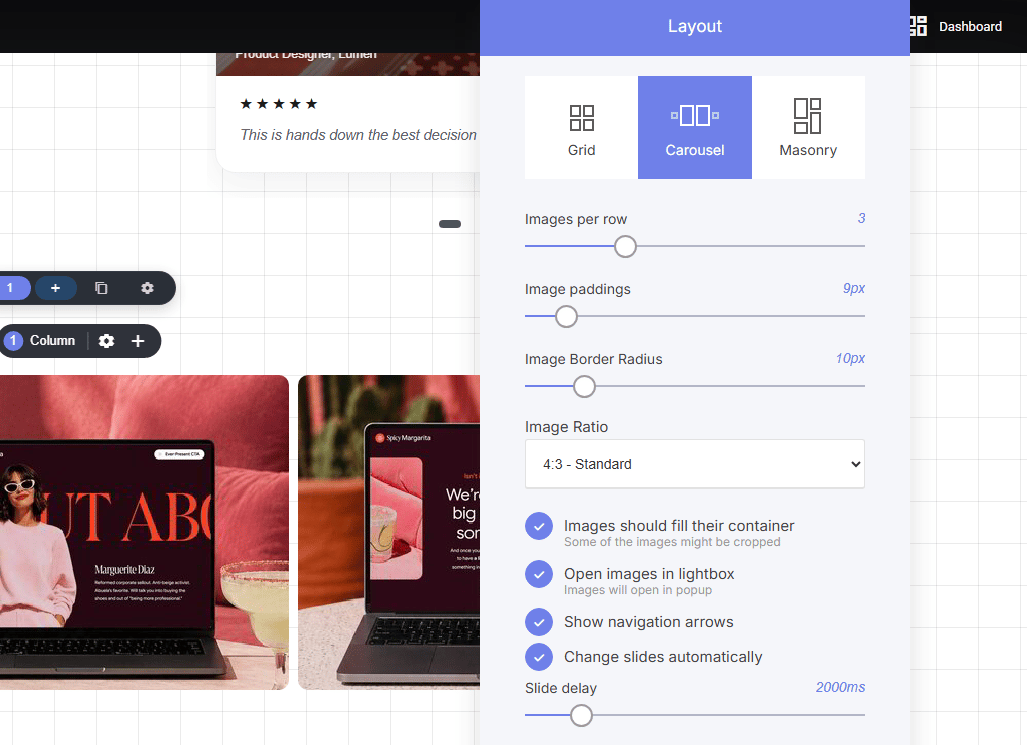
Edit the styling
There are three main styling options to chose from: Grid, Carousel and masonry. Within each style option you’ll be able to:- Set the amount of images to display per row
- Add padding between the images
- Image border radius
- Image ratio ‘size’
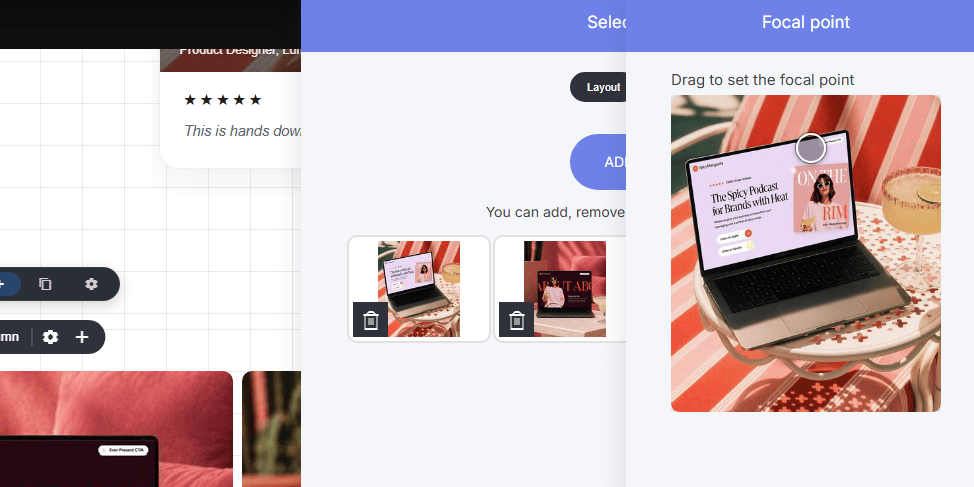
Editing the image position
Sometimes you may want to adjust the portion of image displayed, to do so open the images you have selected, select an image you want to adjust. Here you will be able to adjust the focus part of the image by moving the circle on the image.