- Reaction to a Post – Activates when a subscriber reacts to a video post.
- Poll Option Submitted – Triggers when a viewer submits an answer in an interactive poll.
- Video Started – Initiates an automation as soon as a viewer begins watching the video.
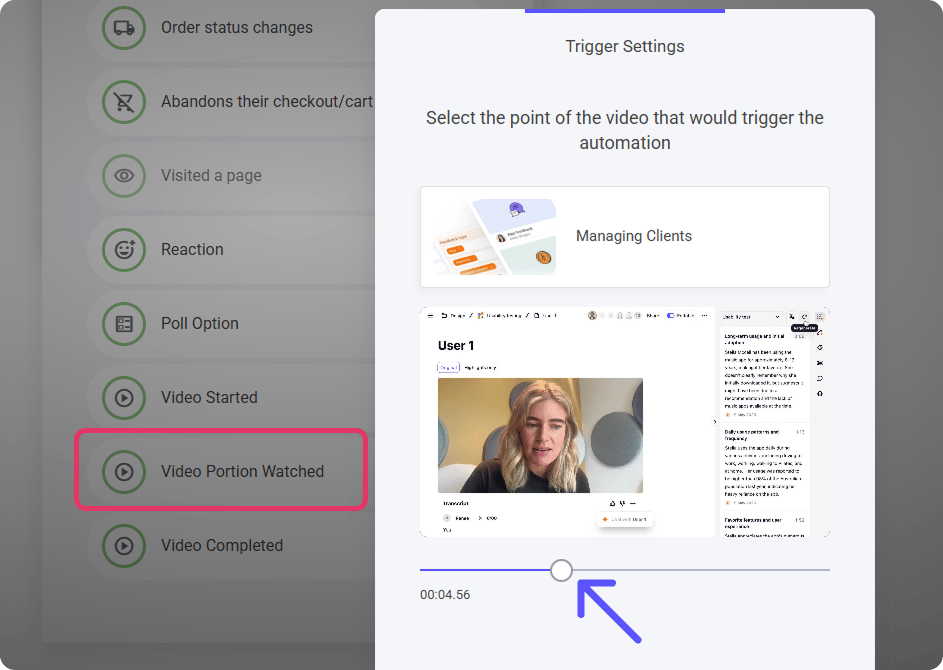
- Video Portion Watched – Fires after a certain percentage of the video has been viewed, ideal for tracking engagement.
- Video Completed – Automatically triggers once the viewer has watched the entire video.
Video Portion Watched
This trigger allows you to activate automations when a viewer watches a specific portion of a video. How It Works:- Select the video – Choose which video the automation will apply to.
- Adjust the timeline – Use the slider to set the exact point in the video where the trigger should activate.
- Enable automated actions – Once the viewer reaches the specified point, it can send emails, update profiles, or trigger follow-up workflows.