

- Mention members – Tag users directly to grab their attention.
- Send system emails – Ensure notifications reach members even if they miss community alerts.
- Keep engagement high – Automated updates make sure your community stays active and responsive.
Turn on Community Notifications
To activate notifications and ensure members stay engaged:- Navigate to the Left Sidebar – Locate the Settings Cog.
- Click on “Notification Settings” – This will display all available notification options.
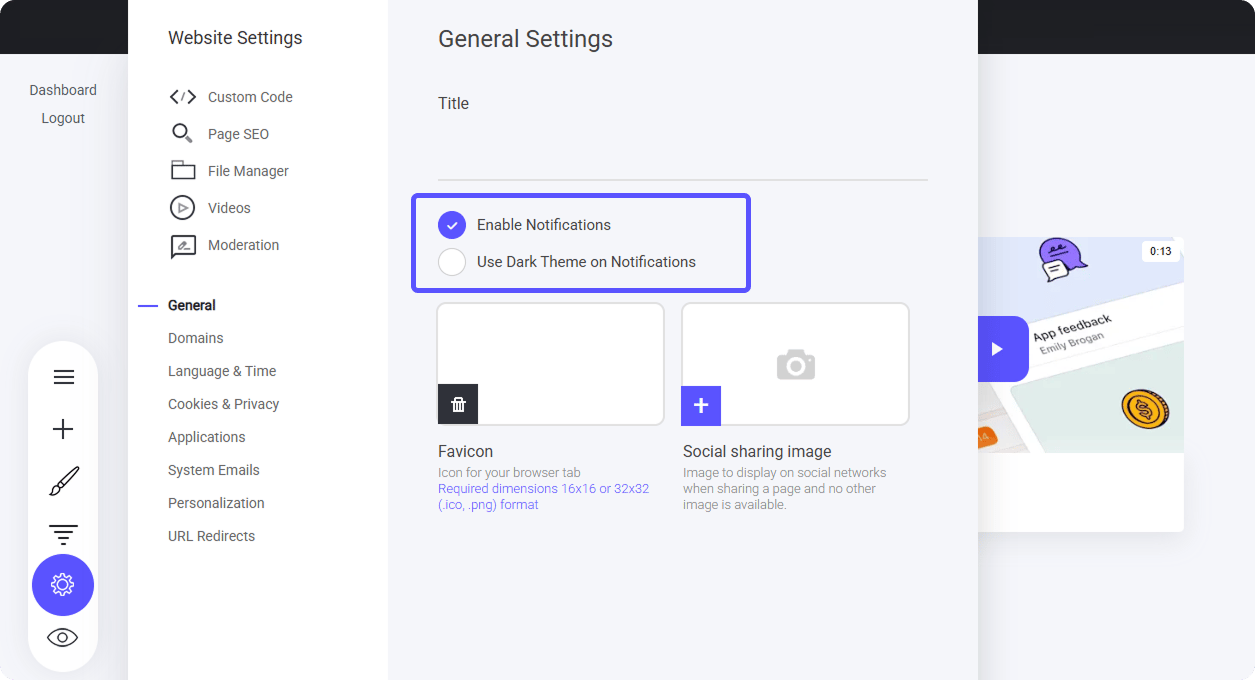
- Enable Notifications – Turn this on to ensure members receive updates, mentions, and system alerts.
- Use Dark Theme – Switch to a darker interface for a sleek, visually comfortable experience, ideal for low-light environments.
- You’ll notice a notification tab in the top right corner of the screen.
- This tab allows you to view alerts, mentions, and system updates, keeping you informed in real time.

Notification Side Bar
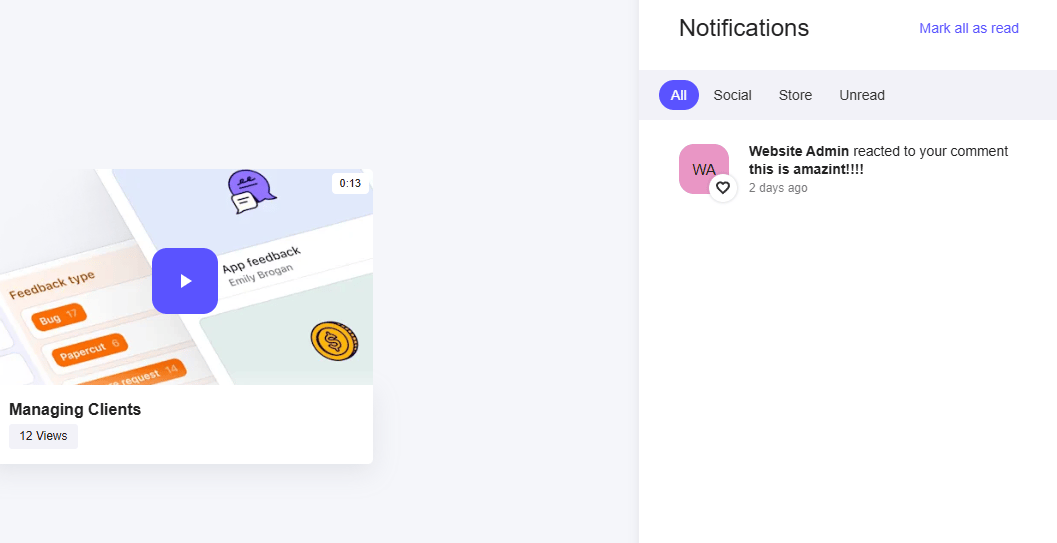
When users click the notification icon, a slide-out box will appear, displaying all relevant updates, including:- Mentions & Alerts – Directly highlighting interactions and tagged messages.
- Comments & Posts – Allows users to quickly jump to the conversation where the notification originated.
- Seamless Navigation – Clicking an alert takes users straight to the relevant post, comment, or mention, ensuring instant access.
System Email
Automatic Email Reminder for Unread Notifications
If a member does not engage with a notification within 20 minutes, the system will send an automated email via “Community Mention.” How It Works:- Ensures members don’t miss important updates by delivering an email prompt.
- Helps maintain active engagement even if a user is away from the platform.
- Redirects recipients directly to the relevant post, comment, or mention for seamless access.
How to use Mentions
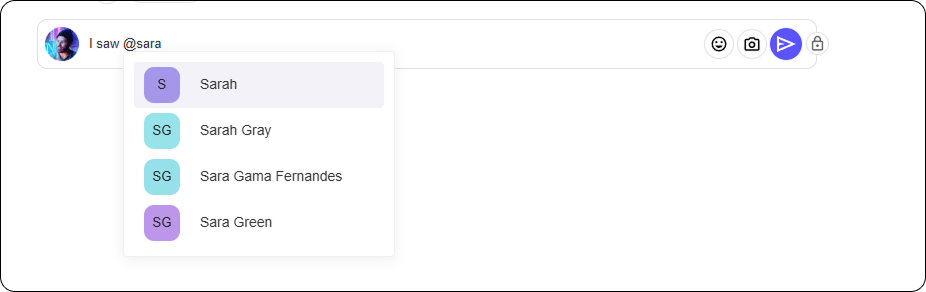
Mentions are a powerful way to grab a member’s attention or notify an entire group at once.- Tag Individual Members – Use @username to directly mention someone, ensuring they receive a notification.
- Notify Everyone – Use @everyone to send an alert to all members in the community, perfect for important updates.
- Boost Engagement – Mentions encourage quick responses and keep conversations active.
Mention a Member
Assign Community Roles