- Test one variable at a time: To accurately determine which element of your funnel is causing a change in performance, it’s important to only test one variable at a time. This could be the copy, the design, the offer, or any other element of the funnel.
- Test for statistical significance: When running A/B tests, it’s important to ensure that the results are statistically significant. This means that the difference between the two versions of the funnel is large enough to be considered meaningful.
- Test continuously: Your funnel is never truly “finished.” Even after you’ve optimized it to the best of your ability, there’s always room for improvement. By continuously testing new ideas and iterations, you can ensure that your funnel is always performing at its best.
- Keep track of your results: Finally, it’s important to keep track of your A/B test results over time. This will allow you to identify patterns and trends, and make informed decisions about how to optimize your funnel moving forward.
Creating a split test
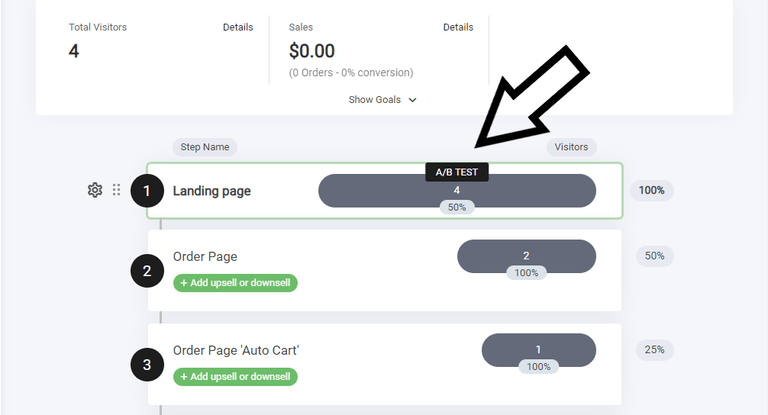
A/B split testing allows you to compare variations of a funnel step to optimize performance.- Navigate to the Funnel Step – Select the specific step you want to test.
- Hover Over the Grey Bar – This will reveal the A/B TEST option for initiating the setup.
- Adjust & Compare – Create different versions of the step and analyze which one performs best.
- Duplicate Step
- New page
Selecting the best type of test
As mentioned in the intro, where we covered the best practices.Test one variable at a time: To accurately determine which element of your funnel is causing a change in performance, it’s important to only test one variable at a time. This could be the copy, the design, the offer, or any other element of the funnel.So before we dive in and start making changes to the split test funnel step, below you will see that a new pop up appears once you select the A/B Test.
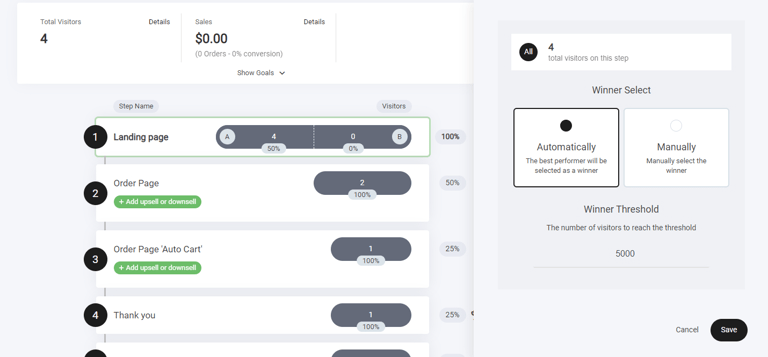
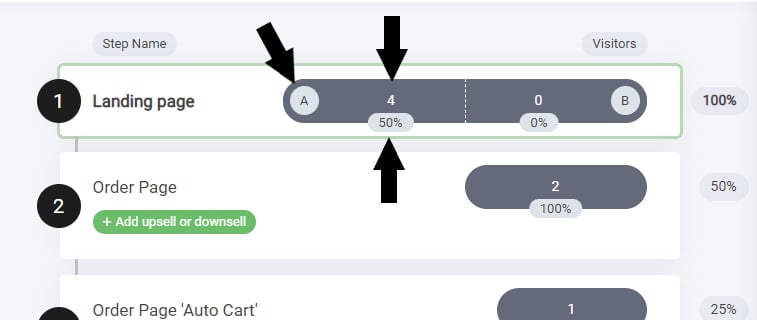
- Split test bar
- Winner select
Winner select
The winner select is a powerful feature to our funnels. The winner select enables you to select one of two option:- Automatically: This feature will automate your split testing and optimise the funnel for you!
- Manually: This option enables you to manually override the winning step.
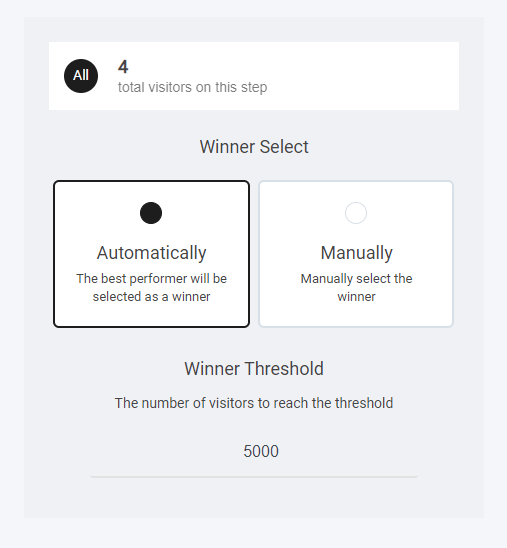
Automatic Winner
When selecting the automatic winner option you can add a winner threshold number, this basically means: When the funnel step reaches a certain visitors, I want you to automatically select the winning side that has most conversions.Top tip: When thinking of a number to put, think about how many people do i think would come to my funnel. If you have a tiny audience then set the number lower. But, if you have large visitor traffic then set it higher. A good number to start with, if you’re just getting started out is 100. This will give you plenty of data and analytics to make data-driven decisions.
Manual Winner
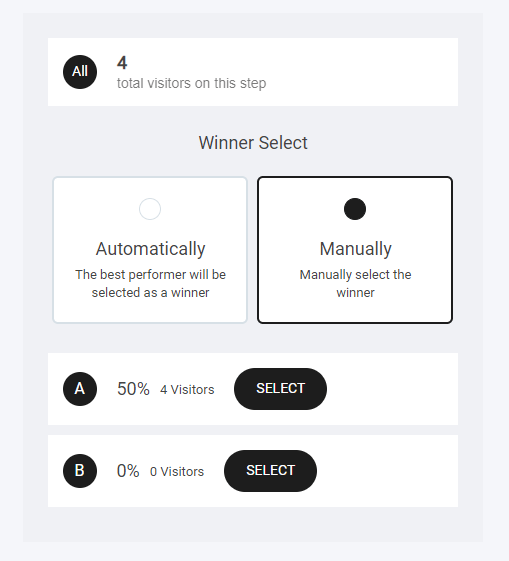
Note: When using either option, Automatic or Manual. Once you have either selected the winner or let the automation select it for you. The non winning step will be deleted.
Editing your split test
When it comes to editing your new split test funnel step as mention earlier it’s important to test small changes so you can get better data driven insights. So what type of things could you change? Here are a few examples/ideas of elements you could split test in your funnel. The key is to focus on one variable at a time and ensure that your test results are statistically significant.Test example
Below are two images, both with the same head line and call to action, the only difference is the actual layout design. Which one would make you click.