

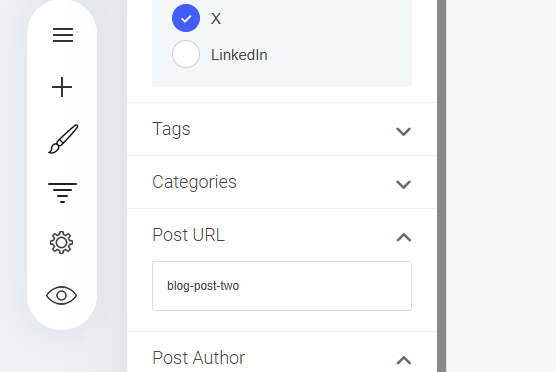
- Navigate to the URL Slug Field – Located in your post settings.
- Enter a Clear, Relevant Slug – Keep it concise and related to the article topic.
- Example:
- If you set your slug as
"my-awesome-article" - Your full post URL will be:
yourwebsite.com/blog/my-awesome-article
- If you set your slug as
Article Settings
Blog Article URL
To set or change the URL of your blog article/post, go to the ‘Post URL’ section in the post settings menu.
The slug is the final section of your post’s URL, typically reflecting the article name or title for easy readability.
How to Add a Slug:
Last modified on September 2, 2026

