

- Click on “Settings” – Found in the blog management section.
- Wait for the Settings Window to Open – A dedicated panel will appear.
- Adjust Preferences – Modify layout, visibility, SEO, and notification settings.
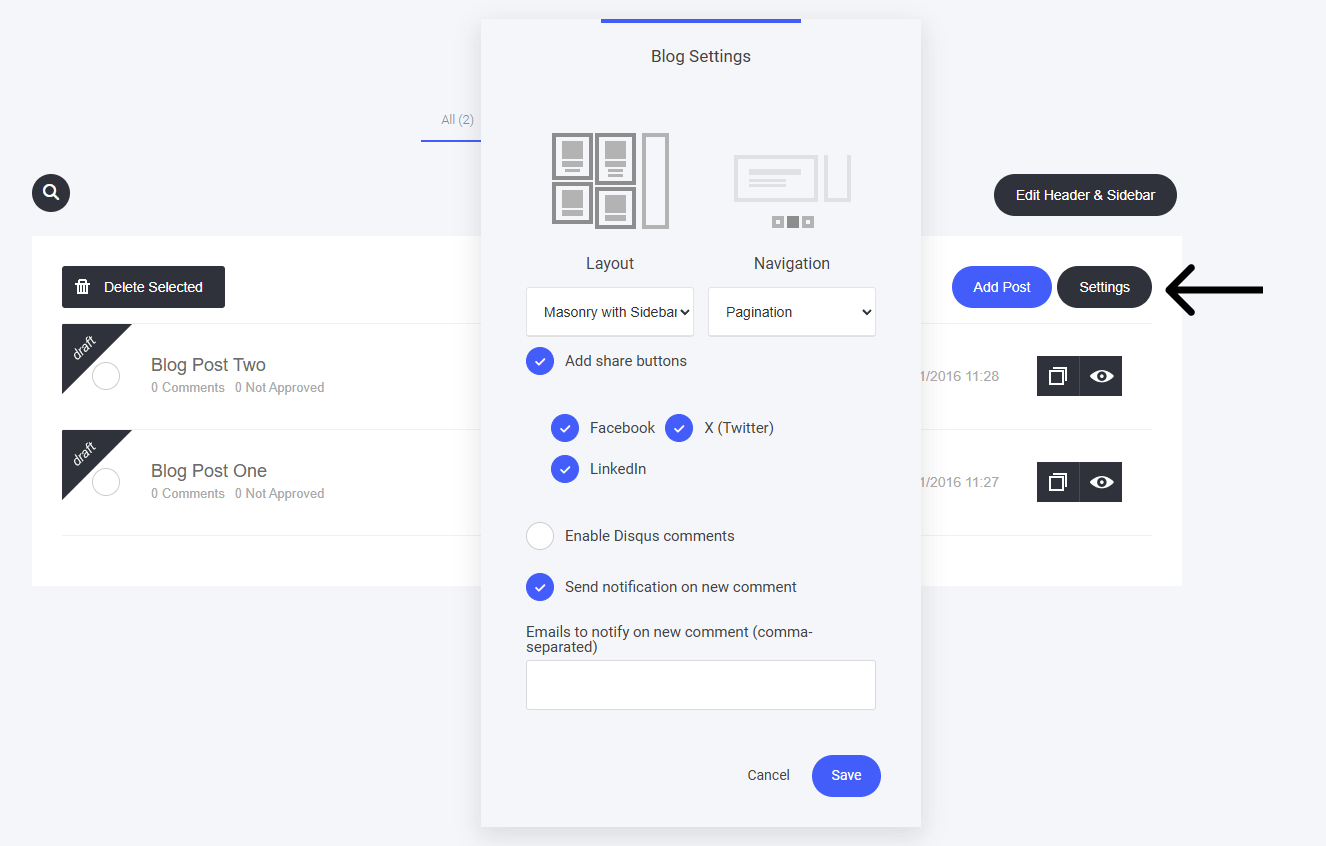
- Select the Layout you prefer for your articles on your main Blog page
- Select the Navigation method to be displayed on the main Blog page
- Add or remove social share buttons
- Enable Disqus comments - a 3rd part comment application (this is not needed as you already have a standard comments section built in)
- Send yourself or your team notifications each time you receive a new comment.