Getting started on your blog is simple! Steps to Begin:
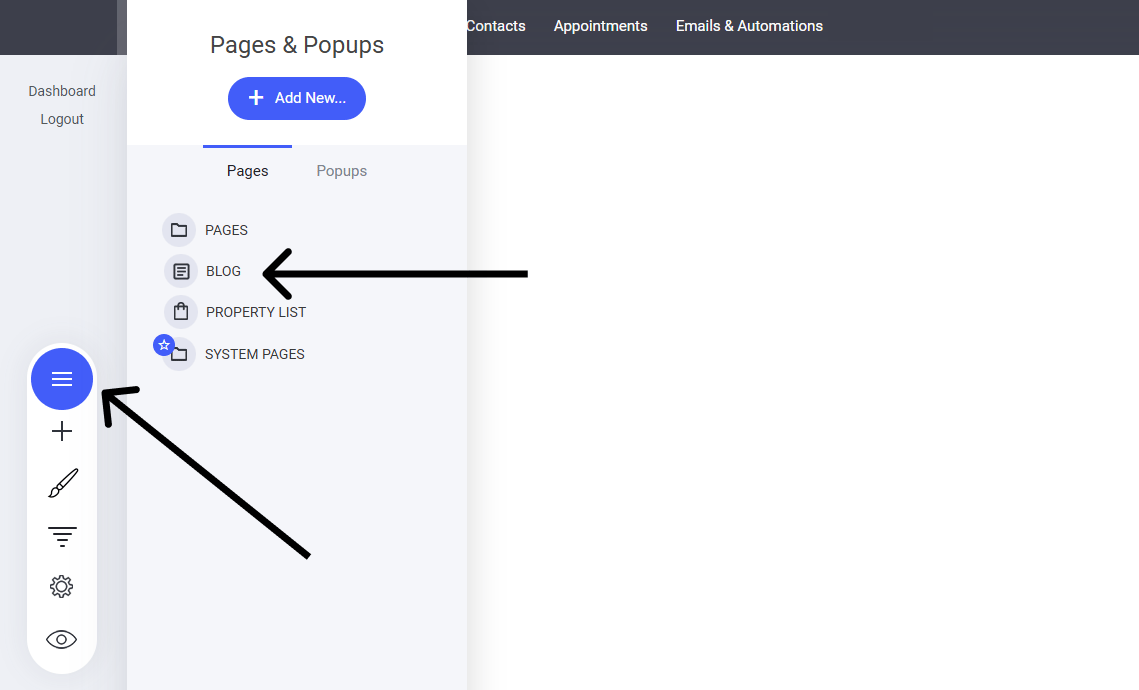
  1. Navigate to the “Pages” Menu – Find the section where all website pages are managed.
  2. Click on “Blog” – Open the blog setup and editing interface.
  3. Customize Your Blog Layout – Adjust design, settings, and organization.
  4. Start Adding Posts – Write engaging content to attract and retain readers.
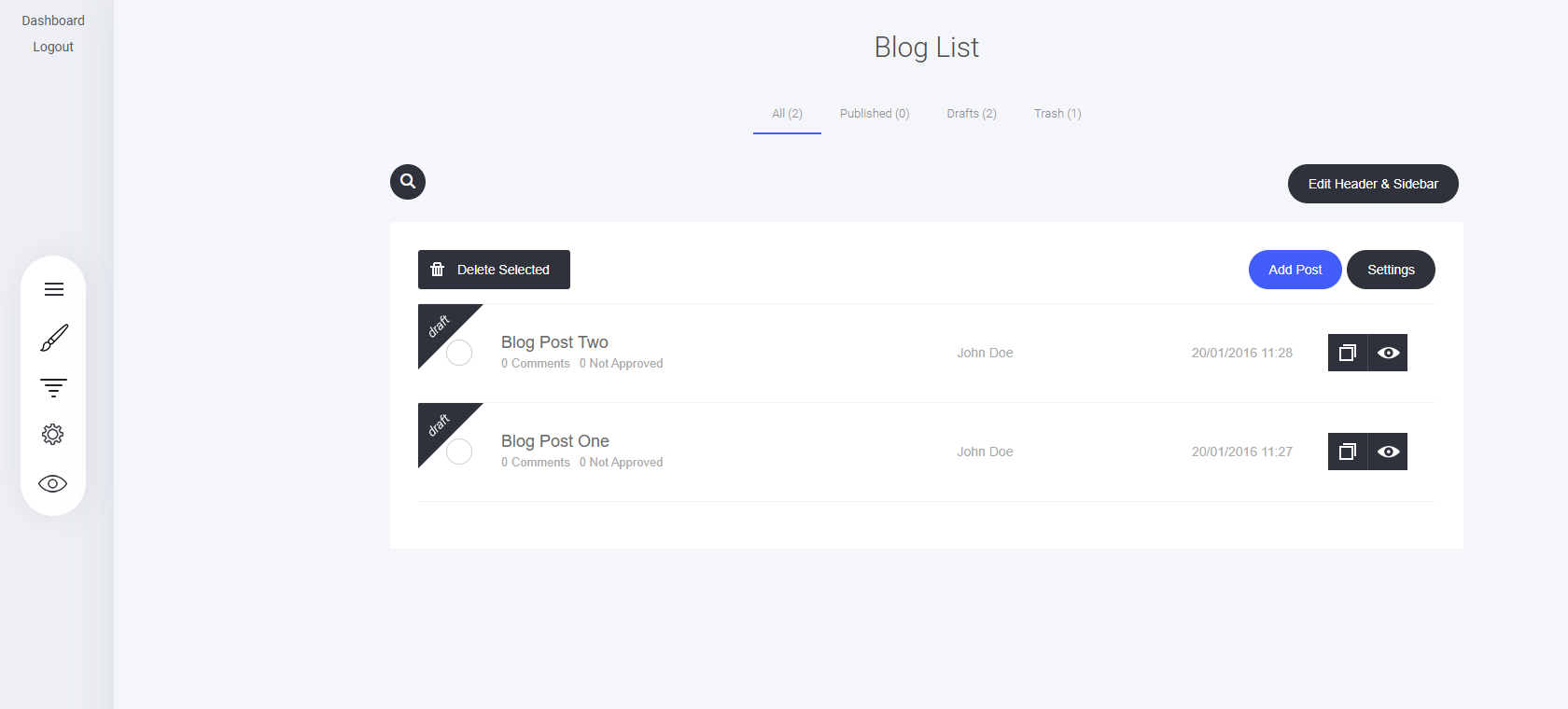
With just a few clicks, you’ll be on your way to building a valuable blog! This will now open the main blog listing page where you can add new blogs and more. From here, you can:
  • Filter to see All, Published, Drafts, or Trash articles.
  • Edit the Header & Sidebar for the blog
  • Add posts
  • Delete selected posts
  • Change the Blog Settings
  • See the list of all your articles including comments, author and published date
  • Clone an article
  • Preview and article

Blog Header and Sidebar Settings

The Header and Sidebar shape the base template for all your articles, ensuring consistency and branding across your blog.

Blog Settings

Fine-tune your blog settings effortlessly!

Article Basics

Crafting engaging blog content is easy with the article editor!

Article Content

Craft compelling posts with ease using the drag-and-drop builder—just like the page builder!
Last modified on September 2, 2026