

- Go to “Email and Automations” – Access the section where email settings are managed.
- Click on “System Emails” – Locate the templates for automated messages.
- Select the Email Template – Choose the email you want to modify.
- Disable the Default Email – Opt to send your own customized version instead.
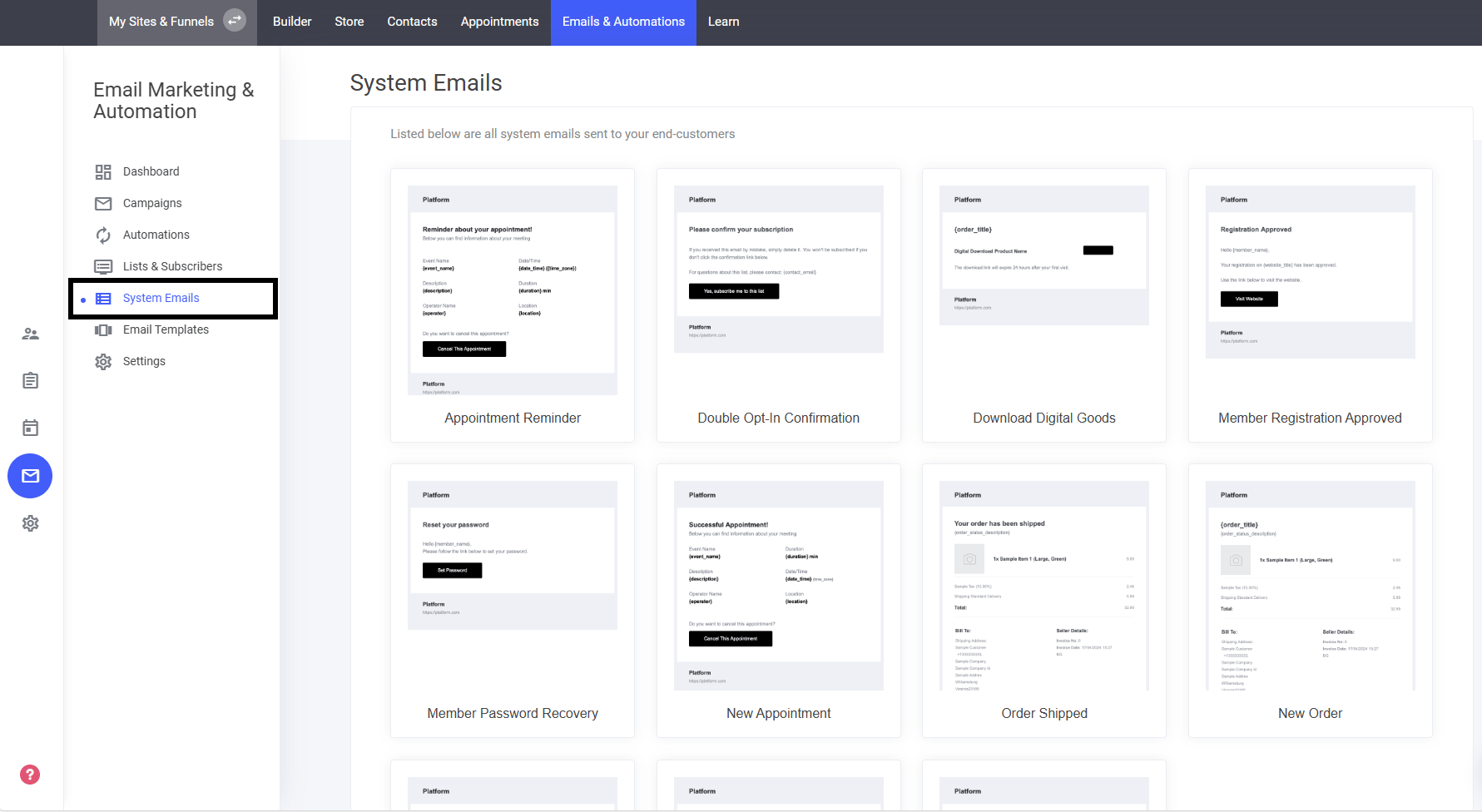
System email templates
Tailor the automatic emails sent from your system to match your brand’s communication style.
Steps to Customize System Emails:
Appointment reminder
Like all other emails, you can edit the template with the drag-and-drop email editor for complete flexibility.
Double opt in confirmation
Like any other email template, you can fine-tune this double opt-in confirmation email using the drag-and-drop email editor for full personalization.
Download digital goods
Like any other email, this template can be fully personalized using the drag-and-drop email editor for seamless branding.
Member registration approved
Tailor your member registration confirmation email using the drag-and-drop editor for a seamless, branded experience.
Password recovery
Just like any other email template, you can tailor the password recovery email using the drag-and-drop editor for seamless personalization.
New appointment
Easily tailor the new appointment email using the drag-and-drop email editor to align it with your branding and communication style.
Order shipped
Fine-tune the order shipped notification using the drag-and-drop email editor to match your branding and communication style.
New order
Fine-tune your new order confirmation email using the drag-and-drop editor to match your branding and communication style.
Order cancelled
Refine your order cancellation notification using the drag-and-drop email editor to maintain a consistent and professional brand image.
Order completed
Tailor the order completion email using the drag-and-drop email editor to maintain a polished and professional communication style.
Subscription failed to renew
Maintain a professional tone while notifying users about failed subscription renewals using the drag-and-drop email editor for full customization.
Community Mention
Just like any other email, you can edit the template with the drag and drop email editor. Below is the Mentioned you in the Community system email. We have already added the...
Replied to You
Just like any other email, you can edit the template with the drag and drop email editor. Below is the Replied to you community system email. We have already added the system...
Last modified on September 2, 2026

