> ## Documentation Index
> Fetch the complete documentation index at: https://docs.bosscart.io/llms.txt
> Use this file to discover all available pages before exploring further.
# Blog
> Your blog deserves to be seen! Easily integrate it into any page or funnel with the blog widget.
Your blog deserves to be seen! Easily **integrate it into any page or funnel** with the blog widget.
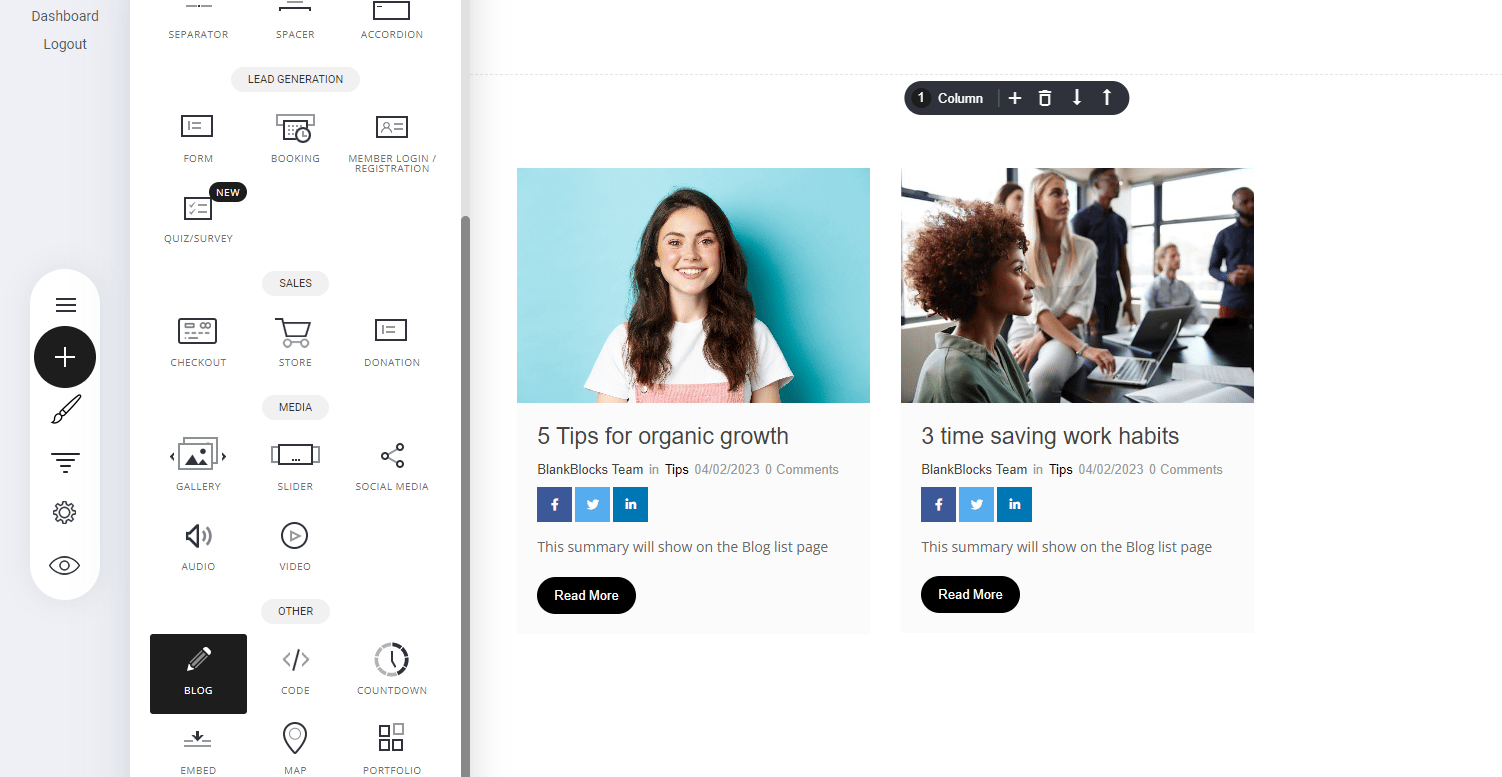
* **Navigate to the Blog Widget** – Open the **Widgets panel** in your editor.
* **Drag & Drop** – Place it onto your page for seamless display.
* **Highlight Your Content** – Ensure visitors can **engage with your posts** effortlessly.
A great way to boost visibility while enhancing your website’s content!
 ### Styling the blog widget
As with all the elements you can style to your own liking. Within the blog widget you can modify:
* The display collection
* Category
* Show images
* Layout display
* Add your social share links
* And how many blog posts you would like to display
### Styling the blog widget
As with all the elements you can style to your own liking. Within the blog widget you can modify:
* The display collection
* Category
* Show images
* Layout display
* Add your social share links
* And how many blog posts you would like to display
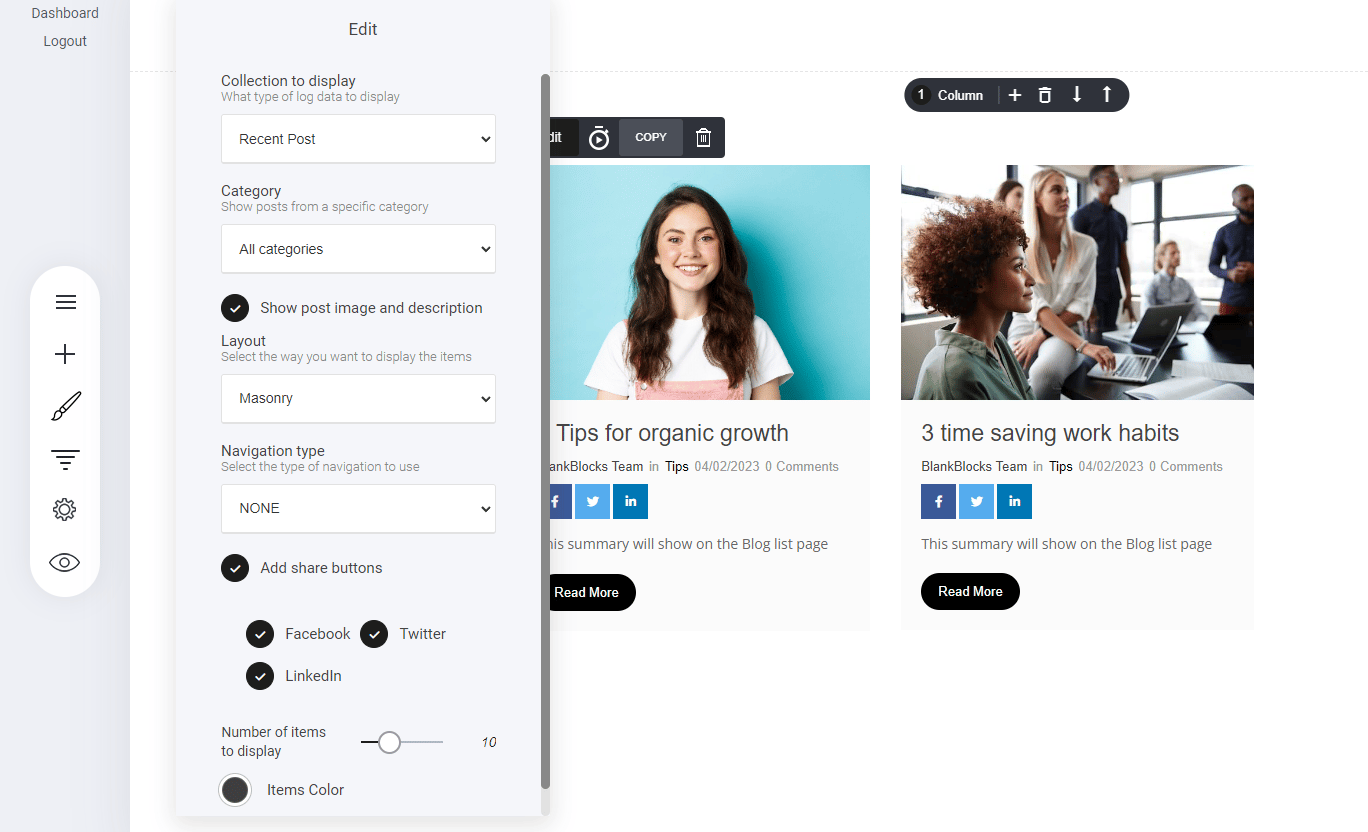 **Collections to display:** You can display blogs posts by:
* Recent posts
* Most popular categories
* Most popular tags
**Category:** You can display your blog widgets by selected categories you have with your blog settings.
**Show post image and description:** This is optional, for example you can select whether your want to display a text listed format of blog posts or add images and descriptions as displayed in the image above.
**Layout:** There are three display options when selecting the layout design. Note: we have the masonry layout selected above.
1. Masonry
2. Large image
3. Medium size image
**Navigation type:** The navigation type adds more options to the widget. If you want an additional navigation button that either shows more blog posts or the alternate option to display the next row of blogs posts.
* Pagination
* Load more
**Add share buttons:** Adding share buttons enable your visitors to share the blog post to their social media channels by simply tapping the social icon. This is optional.
**Collections to display:** You can display blogs posts by:
* Recent posts
* Most popular categories
* Most popular tags
**Category:** You can display your blog widgets by selected categories you have with your blog settings.
**Show post image and description:** This is optional, for example you can select whether your want to display a text listed format of blog posts or add images and descriptions as displayed in the image above.
**Layout:** There are three display options when selecting the layout design. Note: we have the masonry layout selected above.
1. Masonry
2. Large image
3. Medium size image
**Navigation type:** The navigation type adds more options to the widget. If you want an additional navigation button that either shows more blog posts or the alternate option to display the next row of blogs posts.
* Pagination
* Load more
**Add share buttons:** Adding share buttons enable your visitors to share the blog post to their social media channels by simply tapping the social icon. This is optional.