> ## Documentation Index
> Fetch the complete documentation index at: https://docs.bosscart.io/llms.txt
> Use this file to discover all available pages before exploring further.

# Tables

> This element displays structured data like pricing plans, feature lists, or spec sheets in a clean, scannable table. It comes in two layout modes depending on how you want to...

This element displays structured data like pricing plans, feature lists, or spec sheets in a clean, scannable table. It comes in two layout modes depending on how you want to present the information.

#### **Why use it:**

* **Simplifies decision-making:** tables let visitors compare options at a glance instead of reading paragraphs of text.
* **Looks professional out of the box:** striped rows, borders, and adjustable corner radius give it a polished feel without custom CSS.
* **Flexible for many use cases:** pricing pages, feature breakdowns, spec comparisons, or even simple data tables.

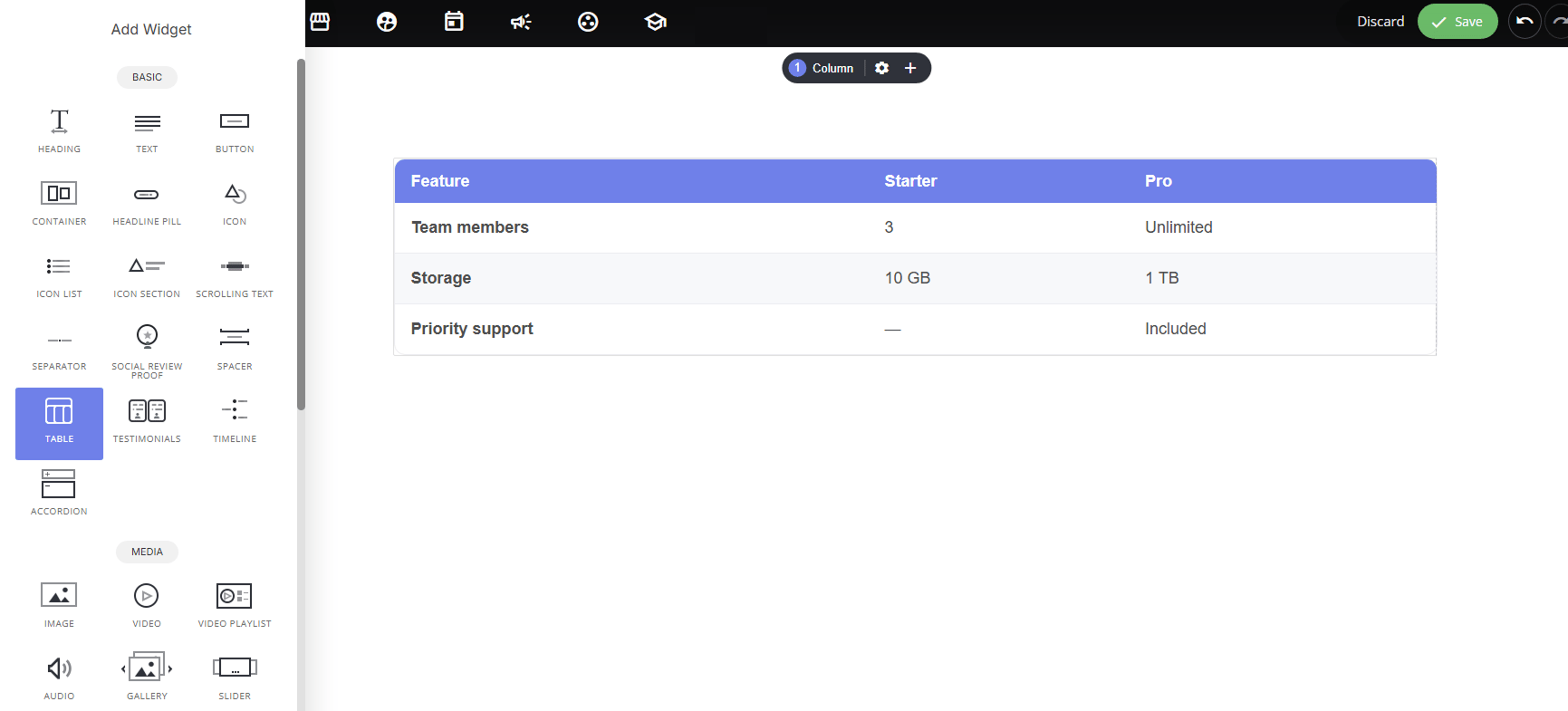
<img src="https://mintcdn.com/alavon365/m47yzIyDG9neC9jn/images/builder/bf949af88ac57d0e.png?fit=max&auto=format&n=m47yzIyDG9neC9jn&q=85&s=fcbdf4819af987b6387cb81cb9509726" alt="" width="1731" height="785" data-path="images/builder/bf949af88ac57d0e.png" /><p>**Standard Table Layout**</p>

### **Layout options:**

* **Standard:** a straightforward table with a header row and data rows underneath. Best for general-purpose data display (specs, feature lists, plain comparisons).
* **Comparison** — designed specifically for pricing/plan comparisons. Lets you highlight one column (e.g., "Starter" marked as "Recommended") to draw the eye toward a preferred option, and includes a **Feature comparison (auto ✓ / ✗)** toggle that automatically converts values into checkmarks or crosses for quick visual scanning.
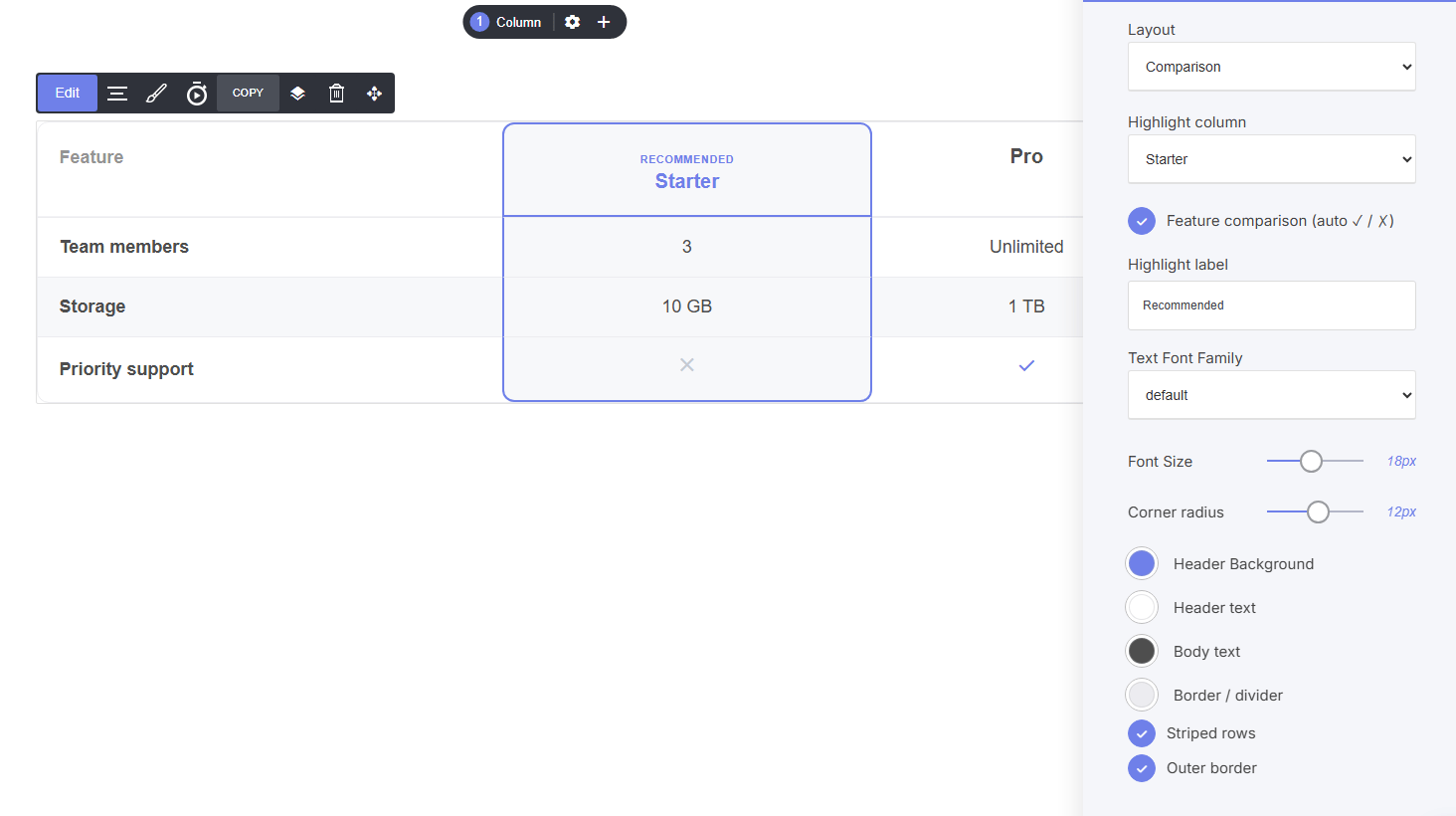
<img src="https://mintcdn.com/alavon365/FzeaQ9w7x4DDlcd4/images/builder/5440c0ef61521c8b.png?fit=max&auto=format&n=FzeaQ9w7x4DDlcd4&q=85&s=3402786ae48341ef36ece9627a57acb0" alt="" width="1464" height="820" data-path="images/builder/5440c0ef61521c8b.png" /><p>**Comparrison Table Layout**</p>

### **Shared settings:**

* **Text Font Family, Font Size, Corner radius:** typography and shape controls
* **Header Background / Header text / Body text / Border colors:** full color customization
* **Striped rows / Outer border:** toggle visual styling for readability

### **Comparison-only settings:**

* **Highlight column:** choose which plan/column gets emphasized
* **Highlight label:** customize the badge text (e.g., "Recommended," "Best Value")
