> ## Documentation Index
> Fetch the complete documentation index at: https://docs.bosscart.io/llms.txt
> Use this file to discover all available pages before exploring further.
# Replied to You
> Just like any other email, you can edit the template with the drag and drop email editor. Below is the Replied to you community system email. We have already added the system...
Just like any other email, you can edit the template with the drag and drop email editor. Below is the **Replied to you community system email**. We have already added the system fields such as website name and specific fields that are allocated to this email. All of which can be edited or deleted.
 To add any further fields to the system email template you can do so by selecting the text editor when typing and click the **Tag** icon. The tag icon will then display the specific fields you can add to the system template as shown below.
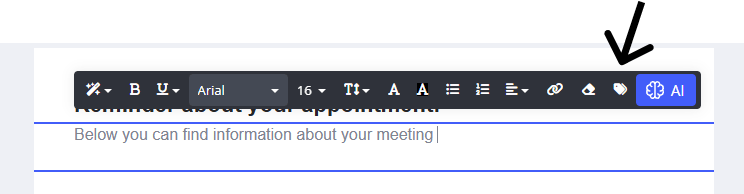 Here you will see all the specific fields allocated to the Replied to you 'community' system email.
