> ## Documentation Index
> Fetch the complete documentation index at: https://docs.bosscart.io/llms.txt
> Use this file to discover all available pages before exploring further.
# New appointment
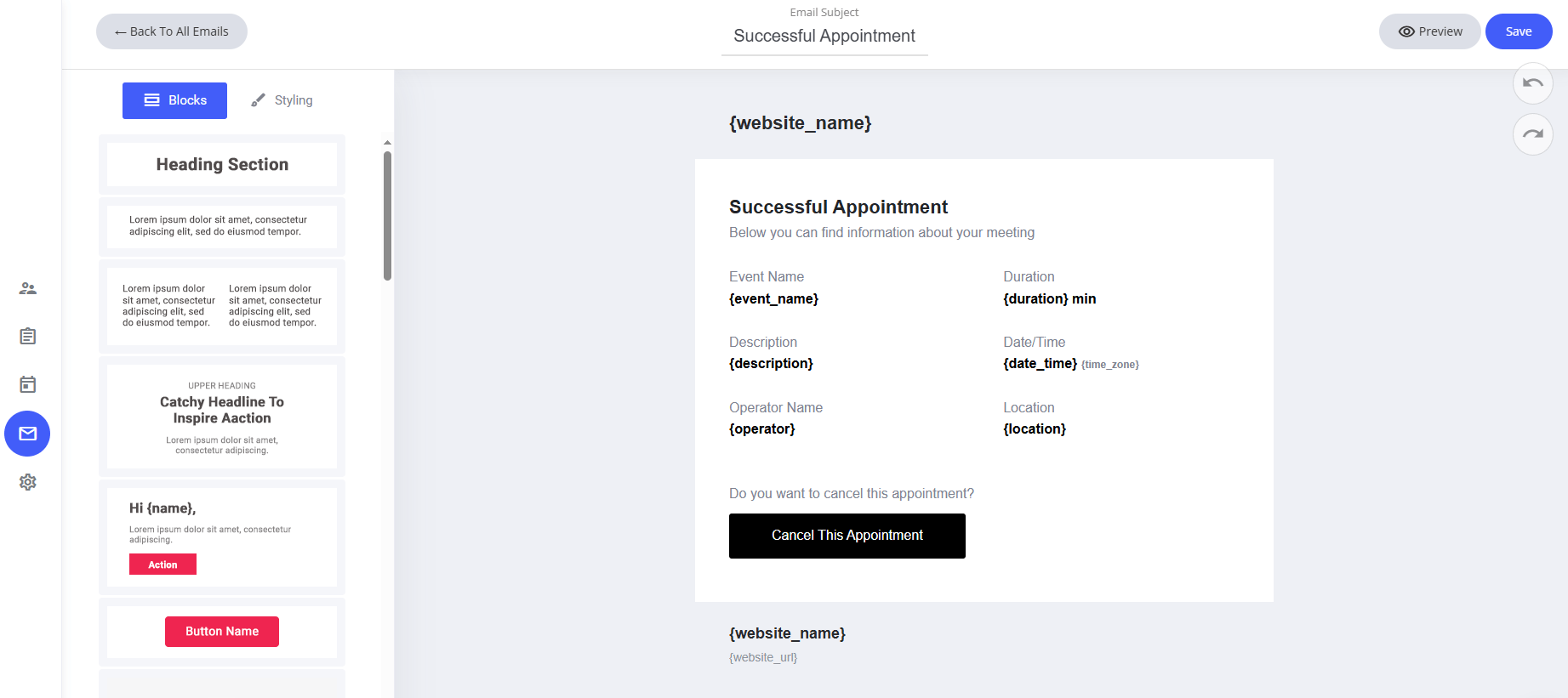
> Easily tailor the new appointment email using the drag-and-drop email editor to align it with your branding and communication style.
Easily tailor the **new appointment email** using the **drag-and-drop email editor** to align it with your branding and communication style.
**What’s Included in the Default Template:**
* **System Fields** – Pre-configured placeholders like website name and appointment details.
* **Automatic Scheduling Information** – Displays relevant appointment details for the recipient.
**How to Customize:**
* **Modify or Remove Fields** – Adjust system-generated elements as needed.
* **Use the Drag-and-Drop Editor** – Personalize layout, colors, and formatting effortlessly.
* **Refine Messaging** – Ensure clear communication to enhance user engagement.
A **simple yet effective way** to keep appointments **organized and seamlessly managed!**
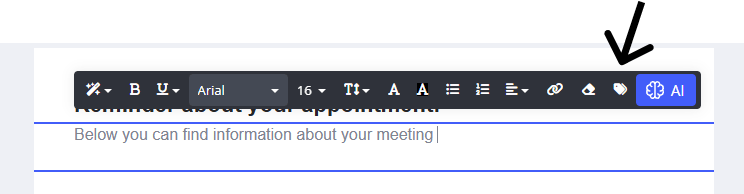
 To add any further fields to the system email template you can do so by selecting the text editor when typing and click the **Tag** icon. The tag icon will then display the specific fields you can add to the system template as shown below.
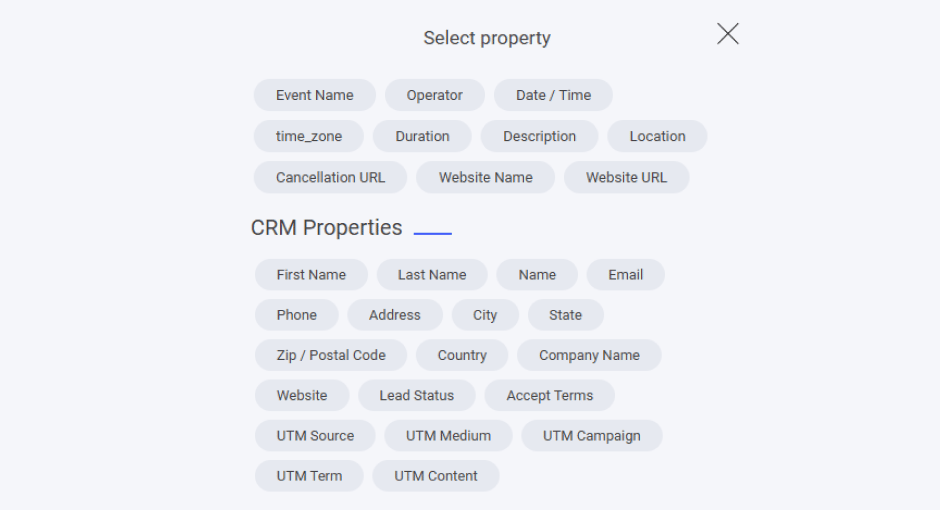
 Here you will see all the specific fields allocated to the new appointment system email.
Also all CRM [properties](/builder/platform/crm/properties) that can be added to the email too. Note if you have any custom properties you have created they will be listed here too.
Here you will see all the specific fields allocated to the new appointment system email.
Also all CRM [properties](/builder/platform/crm/properties) that can be added to the email too. Note if you have any custom properties you have created they will be listed here too.