> ## Documentation Index
> Fetch the complete documentation index at: https://docs.bosscart.io/llms.txt
> Use this file to discover all available pages before exploring further.
# ShipStation
> Ship faster with less effort. The ShipStation integration automatically sends your orders to ShipStation, so you can create labels, manage carriers, and fulfill orders all in...
### ShipStation fulfilment
Ship faster with less effort. The ShipStation integration automatically sends your orders to ShipStation, so you can create labels, manage carriers, and fulfill orders all in one place.
No manual exports. No copy-paste. Just a smooth handoff from checkout to delivery.
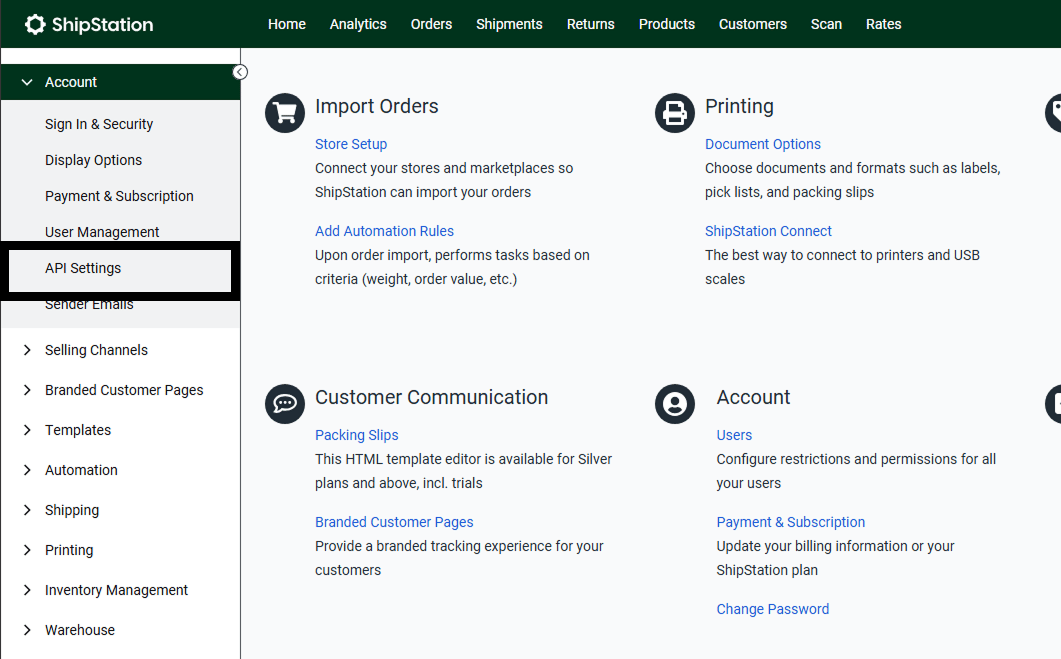
Open your ShipStation dashboard and select > **Account** > **API Settings**
 Next you'll need to create a new API Key that will connect your store to ShipStation.
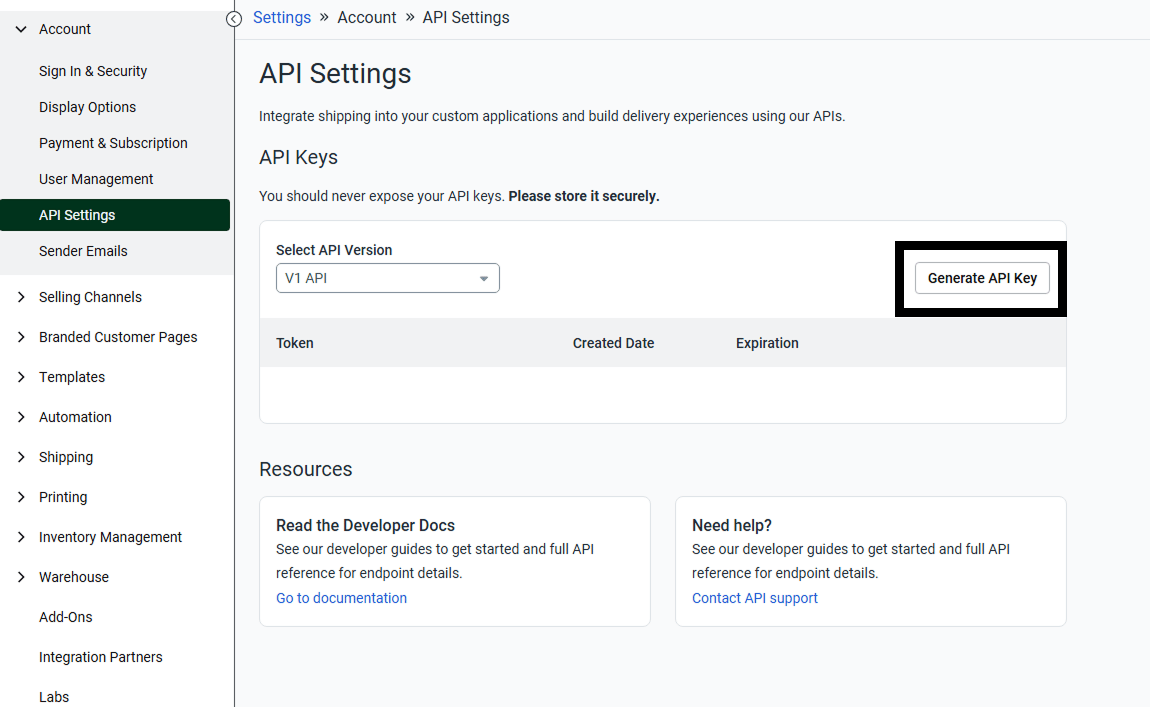
Within the **API Settings** page select > **Generate API KEY**
Next you'll need to create a new API Key that will connect your store to ShipStation.
Within the **API Settings** page select > **Generate API KEY**
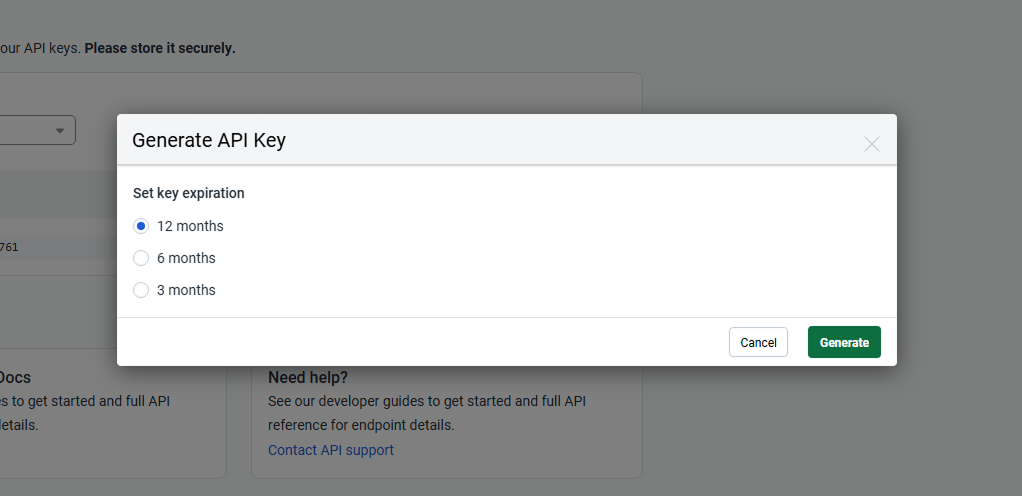
 Next select the API expiration length and click the generate button.
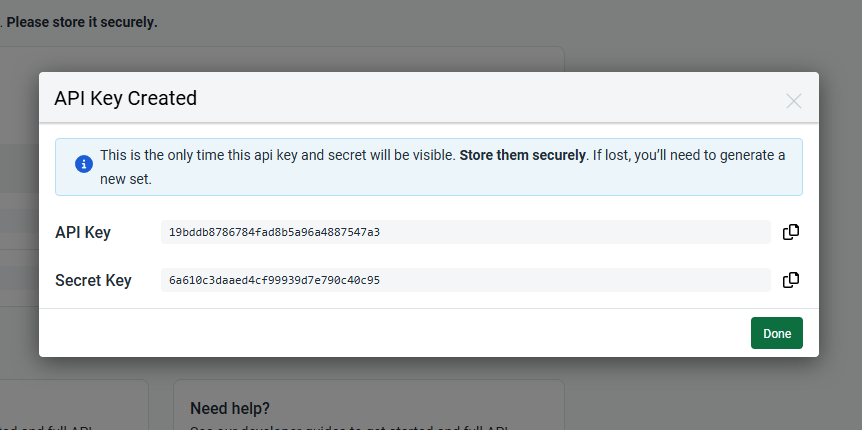
 You'll now see your new API Key credentials.
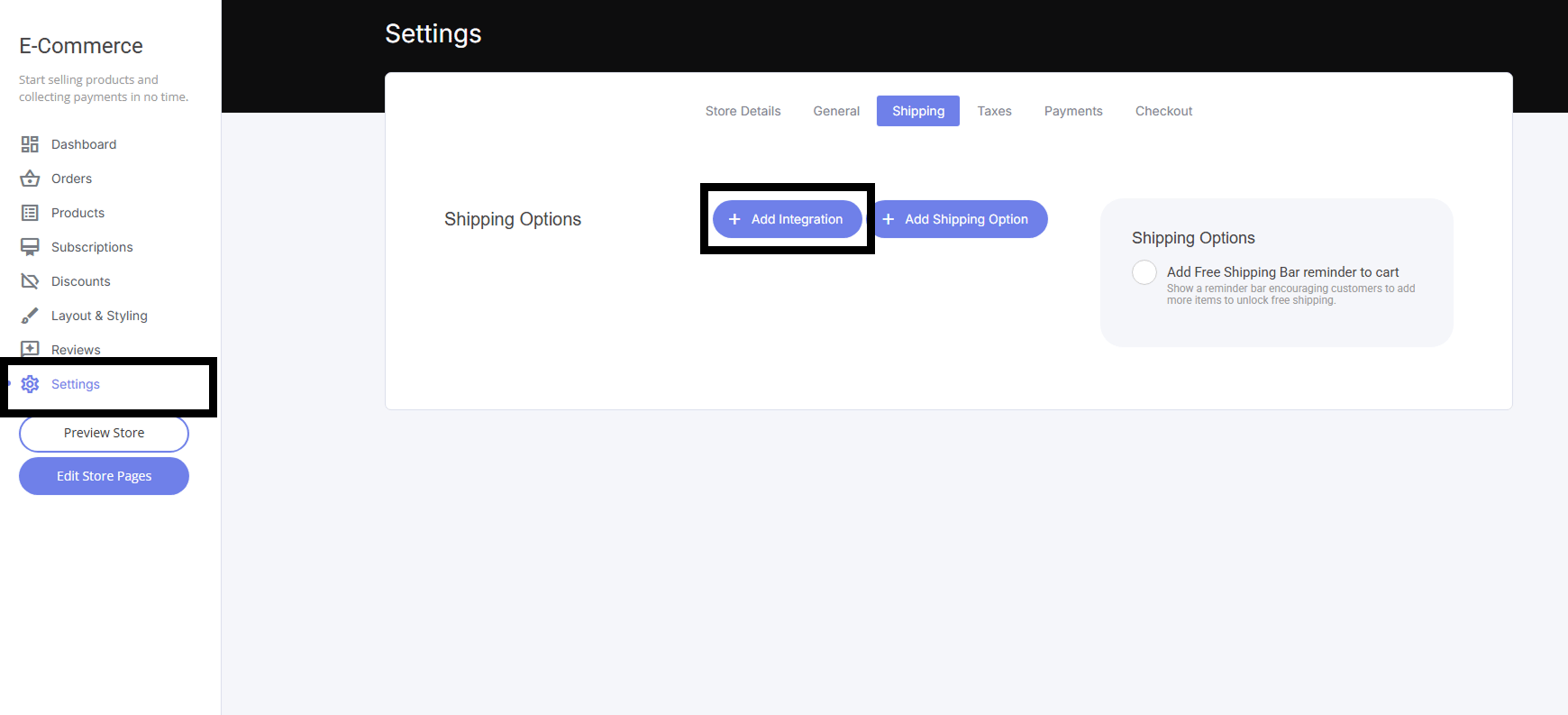
 Now head back to your builder dashboard and select the Ecommerce tab in the navigation bar at the top, then click settings. From here you will now see the **Add Integration** button.
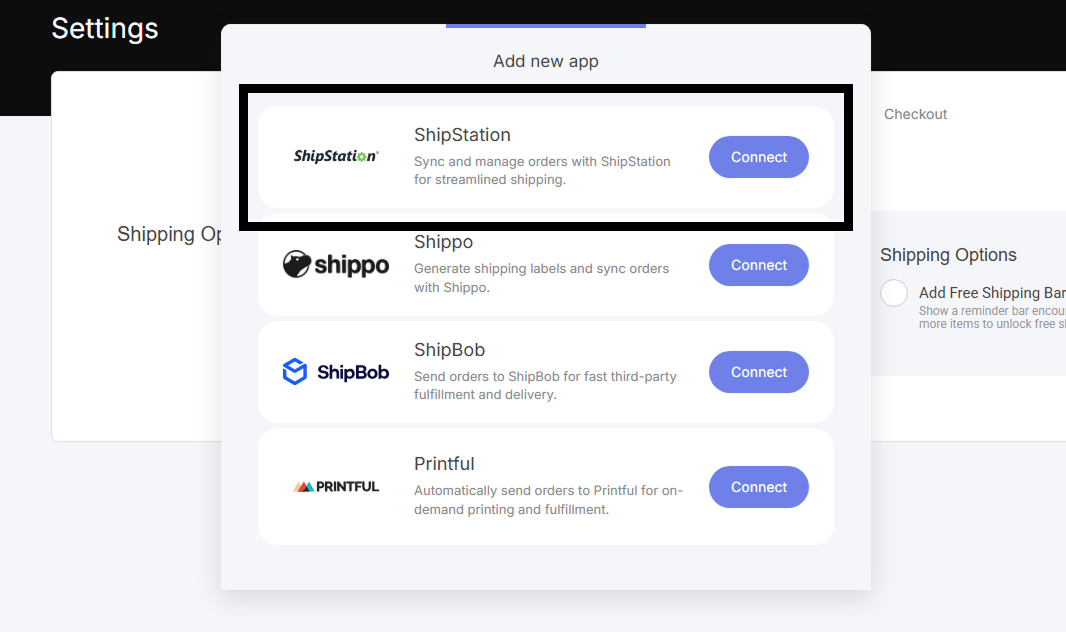
 Once selected, select the ShipStation integration as shown.
 Now paste your ShipStation API KEY and Secret Key in the pop out shown below.
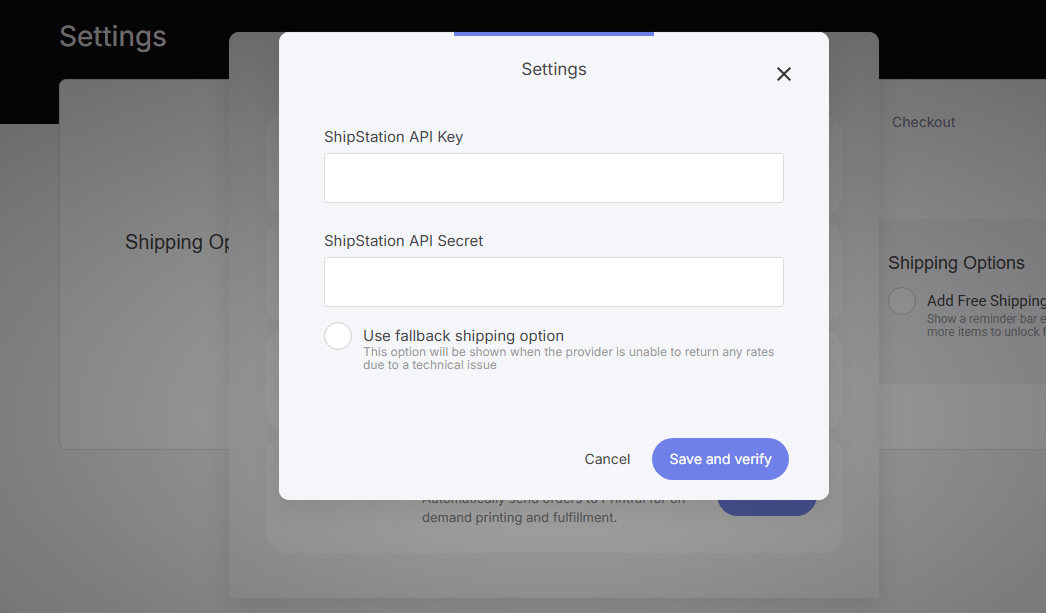 Once you have inserted your API Key and Secret Key - Shipstation is now connected to your ecommerce store.
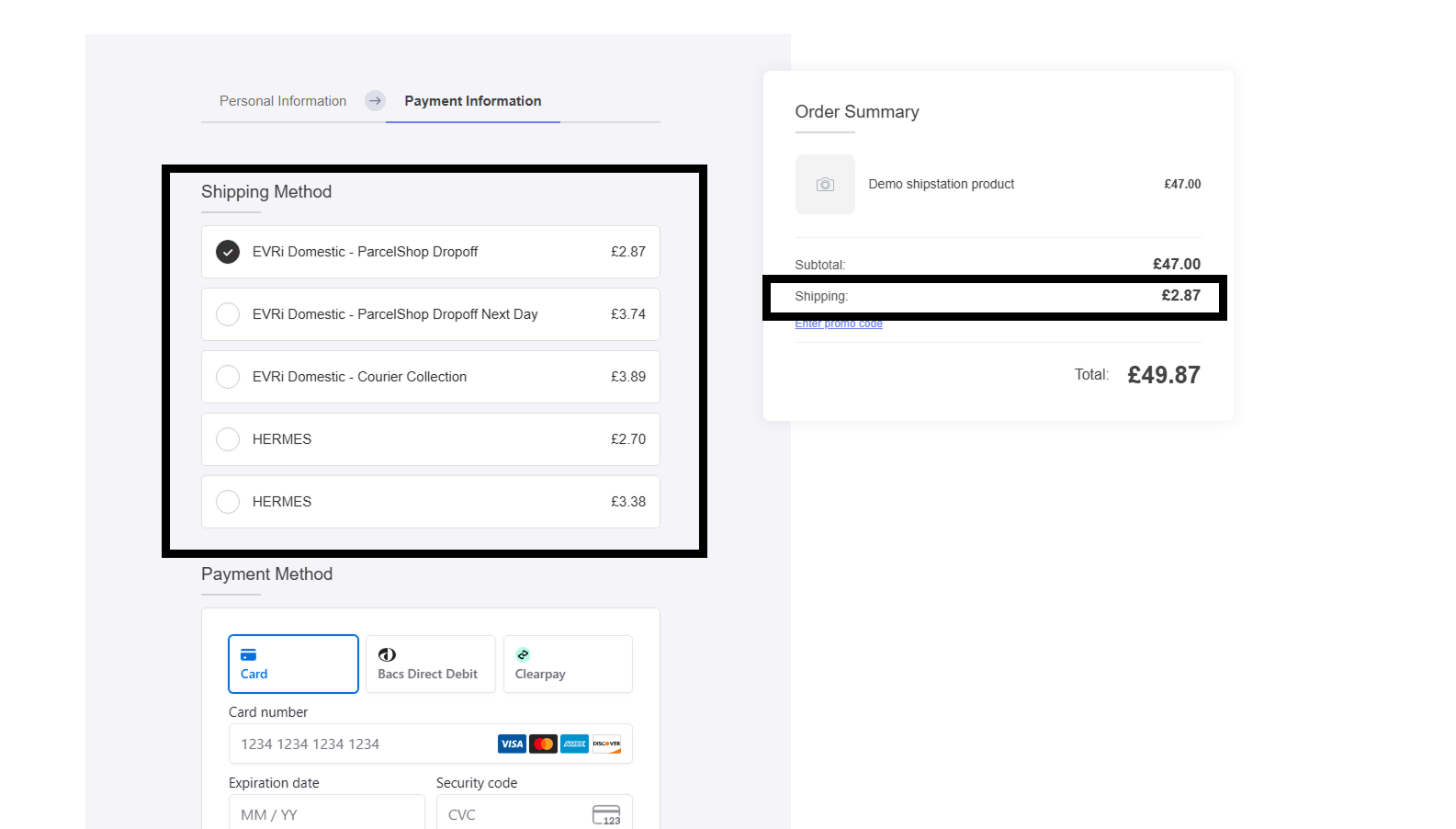
Below is an example checkout that automatically displays your preferred ShipStation Carriers. You'll also see in the checkout summary that the shipping costs are automatically calculated for you.
Once you have inserted your API Key and Secret Key - Shipstation is now connected to your ecommerce store.
Below is an example checkout that automatically displays your preferred ShipStation Carriers. You'll also see in the checkout summary that the shipping costs are automatically calculated for you.
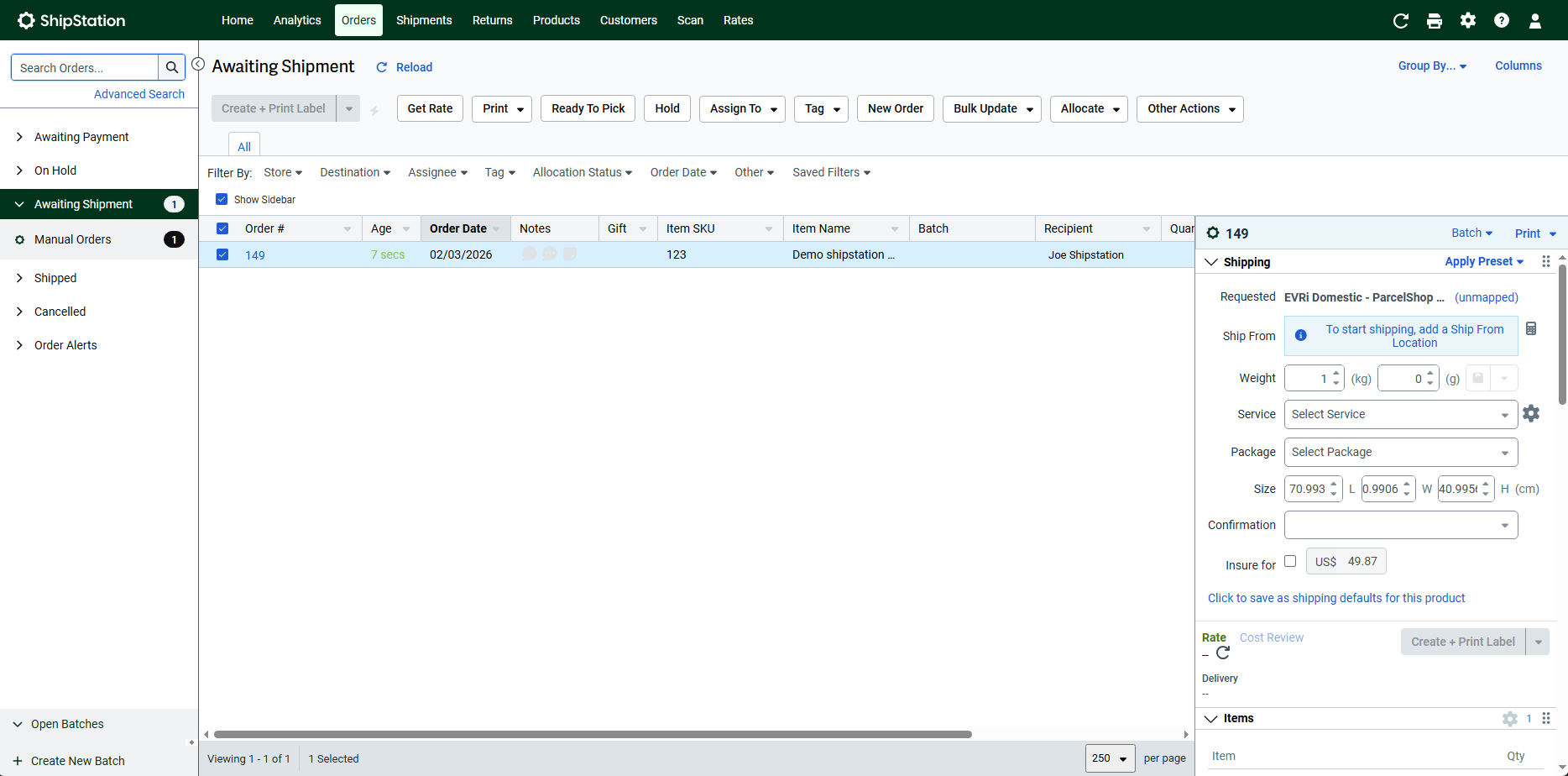
 Once an order has been processed you will now see the order within your ShipStation orders dashboard:
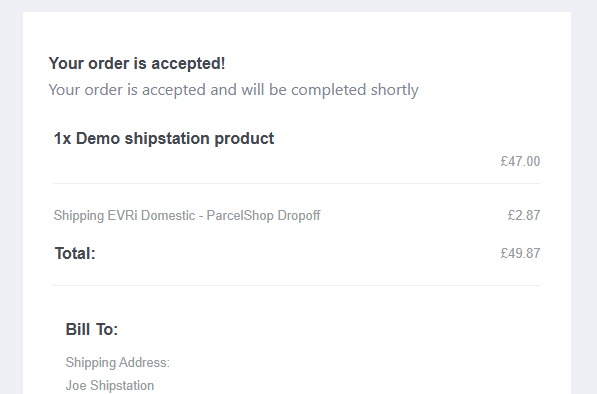
 And your customer will also be sent your system email.