> ## Documentation Index
> Fetch the complete documentation index at: https://docs.bosscart.io/llms.txt
> Use this file to discover all available pages before exploring further.
# Importing products
> Efficiently organize and track your store's inventory using these key features:
### Store Inventory Management
Efficiently organize and track your store's inventory using these key features:
* **Displaying Store Inventory** – Access and manage stock levels for real-time updates.
* **Importing Products from Other Software** – Seamlessly bring in existing product data from integrated platforms.
* **Importing Products from CSV Files** – Bulk upload product listings for quicker inventory setup.
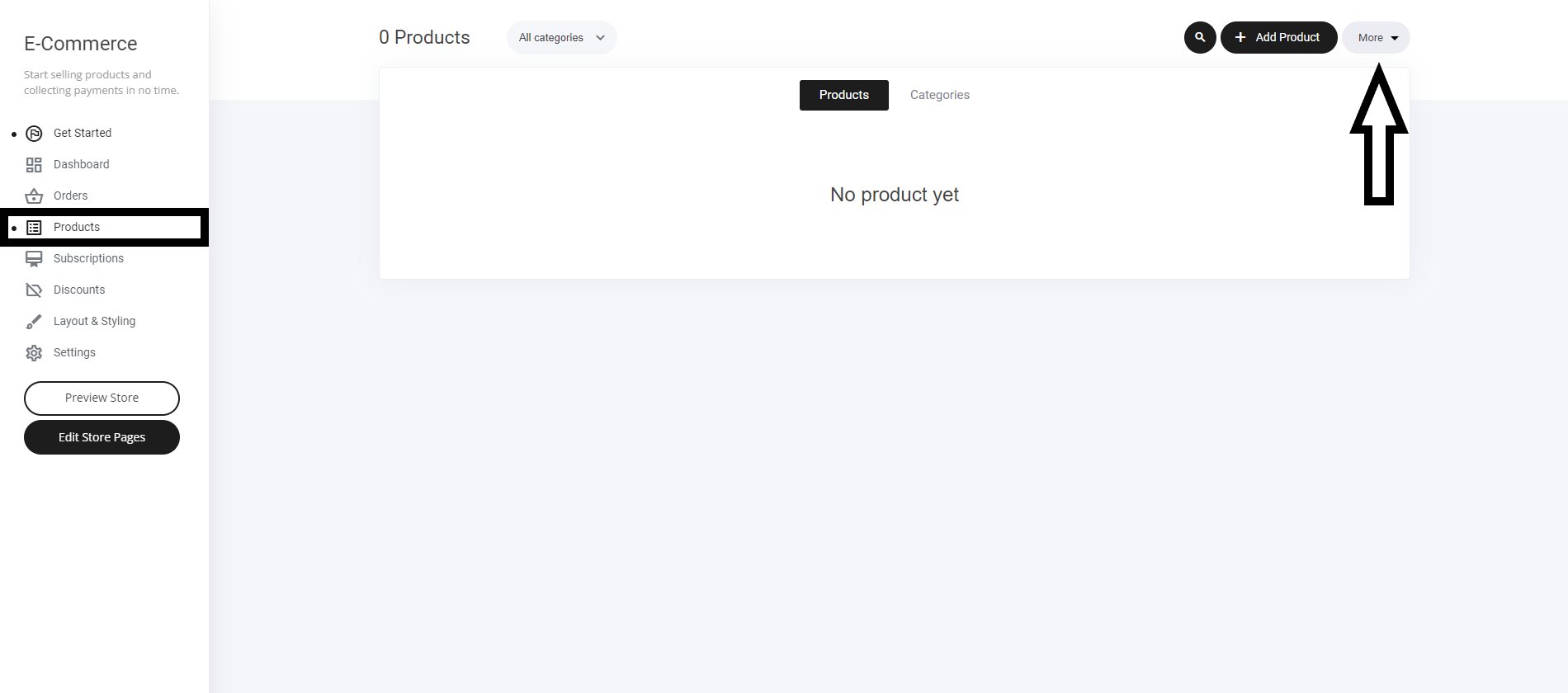
**Getting Started**
* **Navigate to the Store Tab** – Open your store management section.
* **Go to the Products Tab** – Locate the inventory tools.
* **Select the "More" Button** – Access additional import and display options.
This makes **inventory handling faster and more efficient**, keeping your store operations smooth!
 **Importing Products**
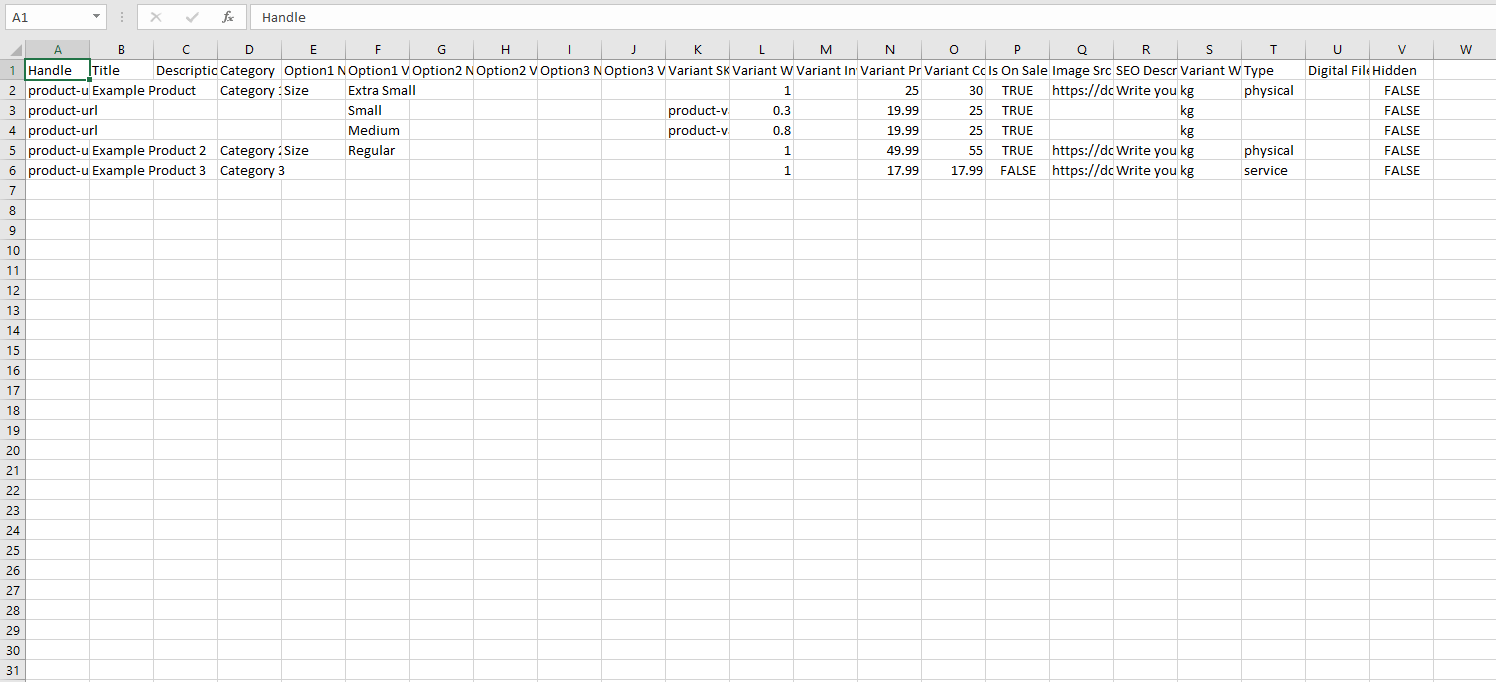
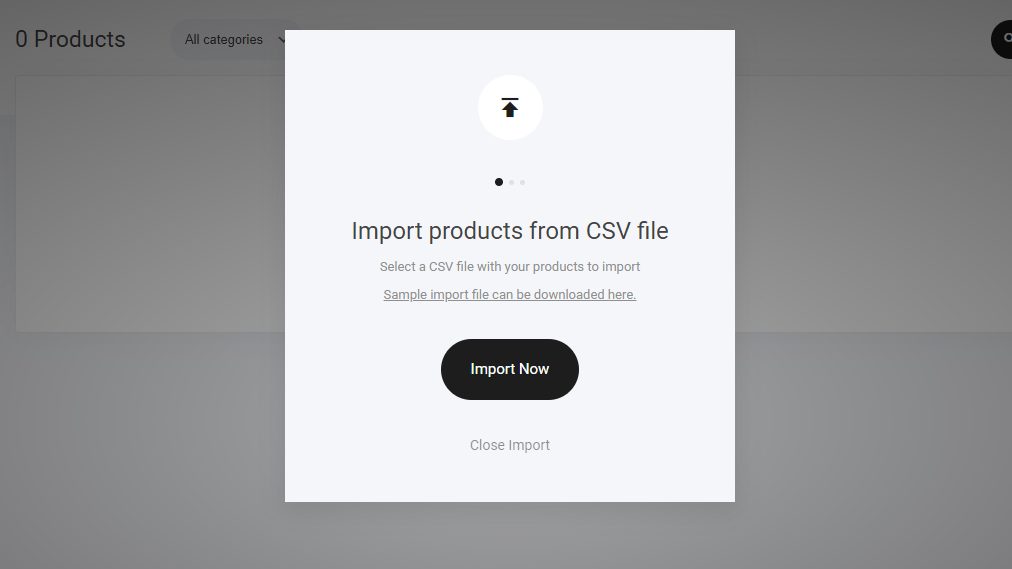 You can view and **download an inventory CSV** example for reference. It looks similar to the image below: You will be presented with a pop down menu to merge your existing parameters to start adding items to your store automatically.
**CSV** example for reference.
You can view and **download an inventory CSV** example for reference. It looks similar to the image below: You will be presented with a pop down menu to merge your existing parameters to start adding items to your store automatically.
**CSV** example for reference.