> ## Documentation Index
> Fetch the complete documentation index at: https://docs.bosscart.io/llms.txt
> Use this file to discover all available pages before exploring further.
# Creating Store Products
> Easily set up and manage your products within your store dashboard.
Easily set up and manage your products within your store dashboard.
* **Select the Store Tab** – Located at the top of your screen for quick access.
* **Click "Create New Product"** – Begin adding your items with customizable details.
* **Optimize Your Listings** – Set pricing, descriptions, and images for a polished storefront.
A streamlined way to get your ecommerce store up and running efficiently!
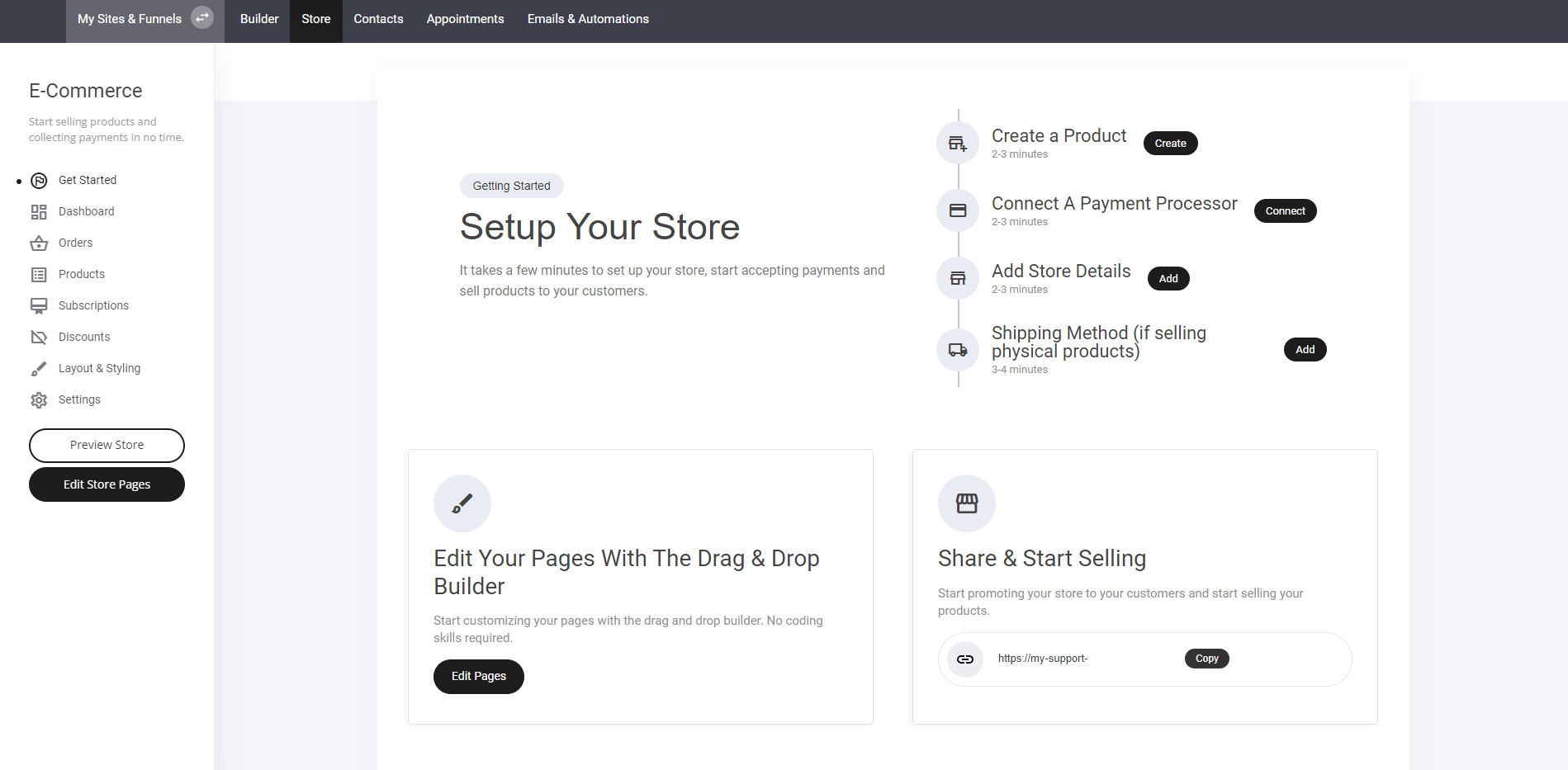 Once you have selected the '**Create a Product**' tab. You will be directed to the product design page. Within this page you can:
Create and design your desired product
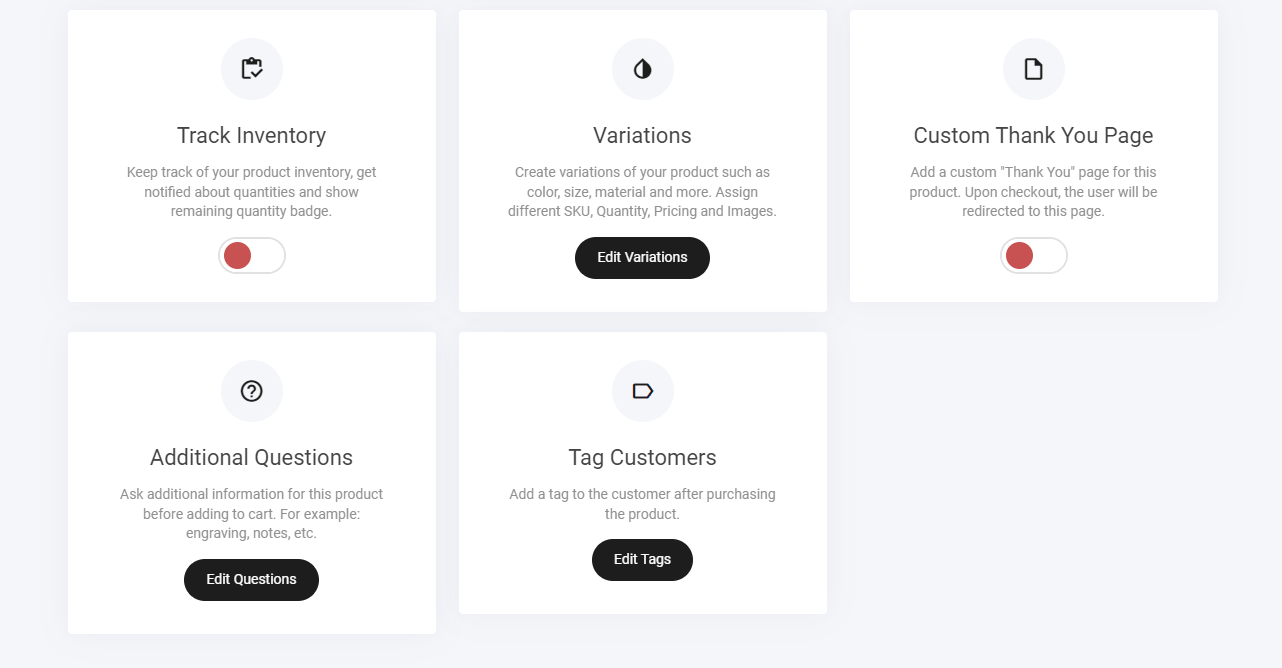
* **Inventory tracking**
* **Variations**
* **Custom thank you page**
* **Additional questions**
* **Tag customers**
Once you have selected the '**Create a Product**' tab. You will be directed to the product design page. Within this page you can:
Create and design your desired product
* **Inventory tracking**
* **Variations**
* **Custom thank you page**
* **Additional questions**
* **Tag customers**
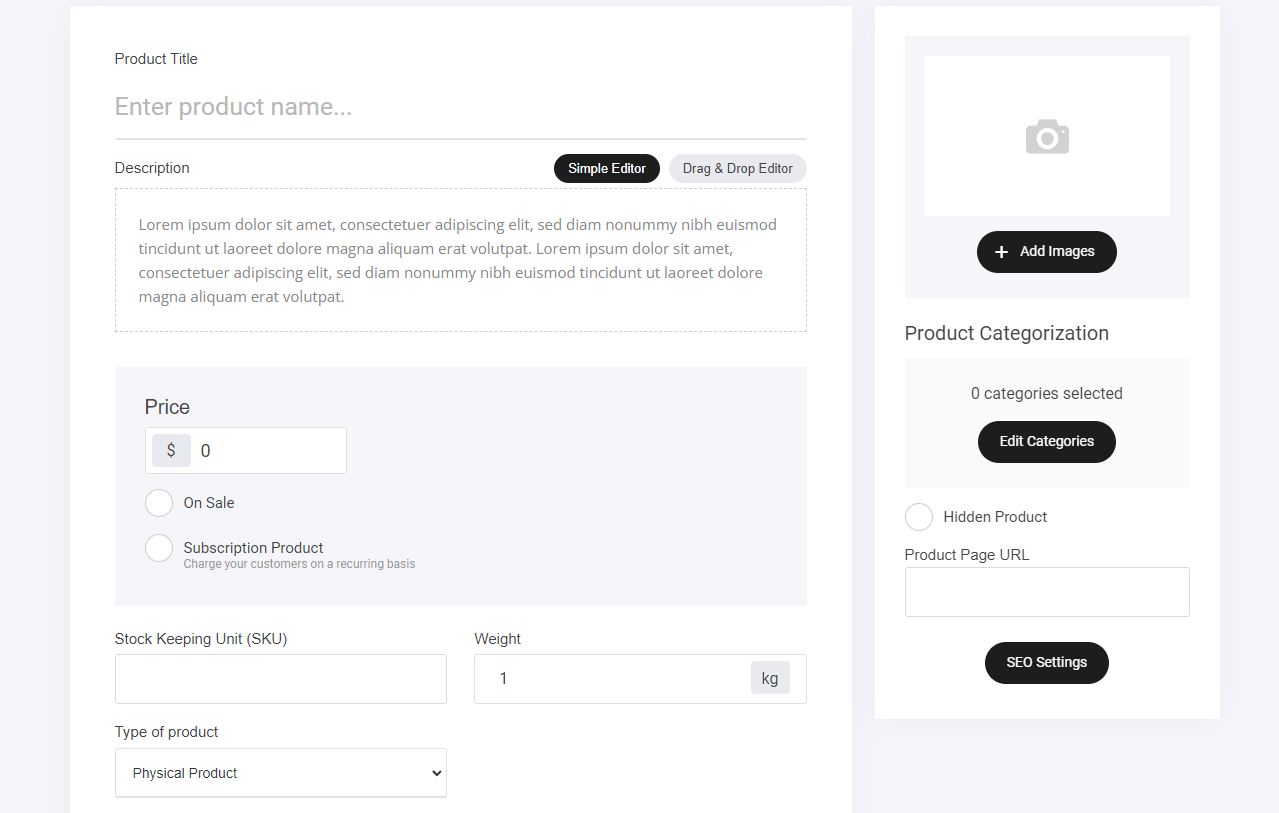
 ### **First, let's create our first product:**
* Add a title
* Edit the description 'Simple editor/drag and drop
* Add the price
* On sale 'Yes/no'
* Is the product a subscription item. eg: Recurring payments over an allocated time period
* SKU
* Weight if using a physical product
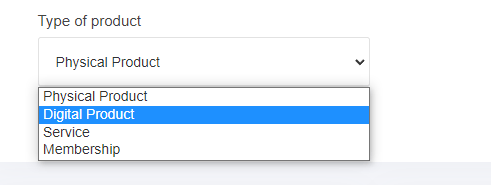
* Product type 'Digital/Physical/membership/service'
* Add images
* Product category selection
* Hidden or viewable item
Edit the description in detail. The product description can use either the
1. **Simple editor or**
2. **Drag and drop editor.**
### **First, let's create our first product:**
* Add a title
* Edit the description 'Simple editor/drag and drop
* Add the price
* On sale 'Yes/no'
* Is the product a subscription item. eg: Recurring payments over an allocated time period
* SKU
* Weight if using a physical product
* Product type 'Digital/Physical/membership/service'
* Add images
* Product category selection
* Hidden or viewable item
Edit the description in detail. The product description can use either the
1. **Simple editor or**
2. **Drag and drop editor.**
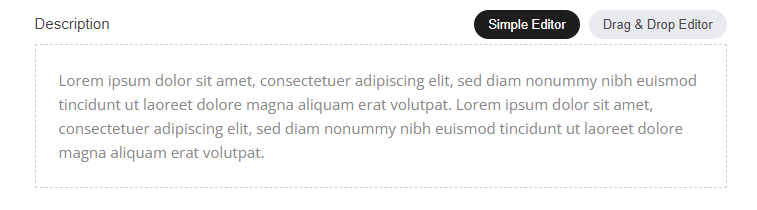 **1,** Simple editor: The simple editor enables you to display text on your product quick view and also the checkout page.
**2,** Drag and drop editor: The option enables you to add any of the standard website builder widgets, such as. Timers, videos etc etc.
### **Subscription Products**
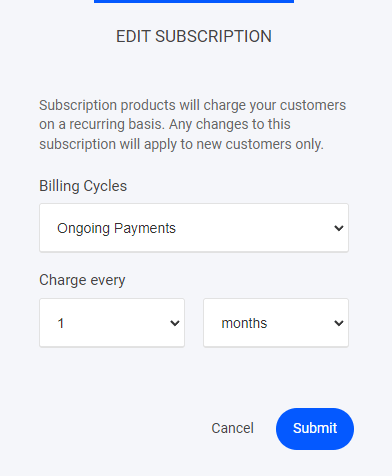
Subscription products will charge your customers on a recurring basis. Any changes to this subscription will apply to new customers only. Subscription payments can be configured to how ever you want to set them up:
**1,** Simple editor: The simple editor enables you to display text on your product quick view and also the checkout page.
**2,** Drag and drop editor: The option enables you to add any of the standard website builder widgets, such as. Timers, videos etc etc.
### **Subscription Products**
Subscription products will charge your customers on a recurring basis. Any changes to this subscription will apply to new customers only. Subscription payments can be configured to how ever you want to set them up:
* **Monthly payments**
* **Weekly payments**
* **Billing cycles**
 ### **Product types**
Select your type of product from the drop down menu
### **Product types**
Select your type of product from the drop down menu
 ### Digital Product
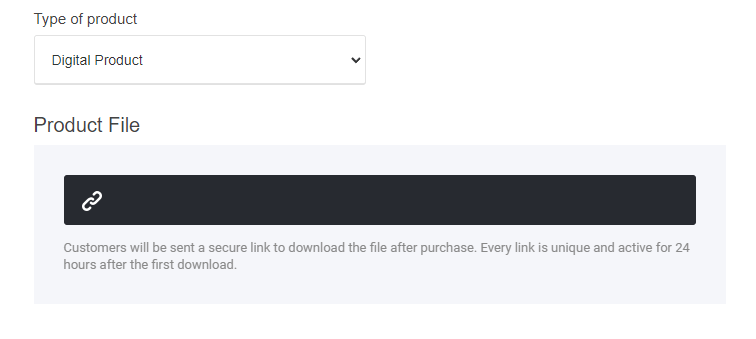
When using **Digital product** you will be able to add your product URL directly to the store item as shown below.
### Digital Product
When using **Digital product** you will be able to add your product URL directly to the store item as shown below.
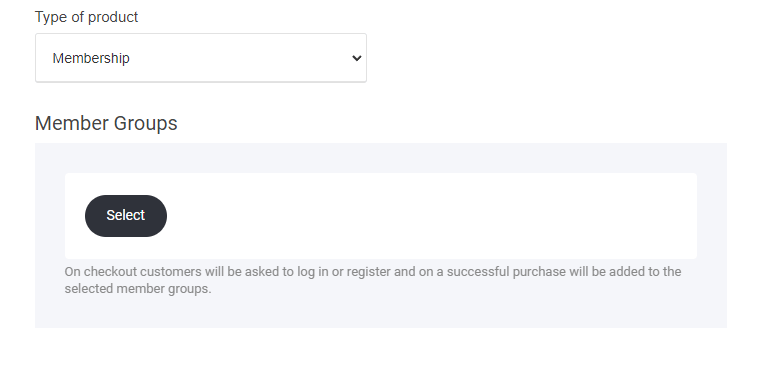
 ### **Creating a membership product**
 Now that you have created your product, you can now start adding the finer details from inventory tracking to adding tags for retargeting.
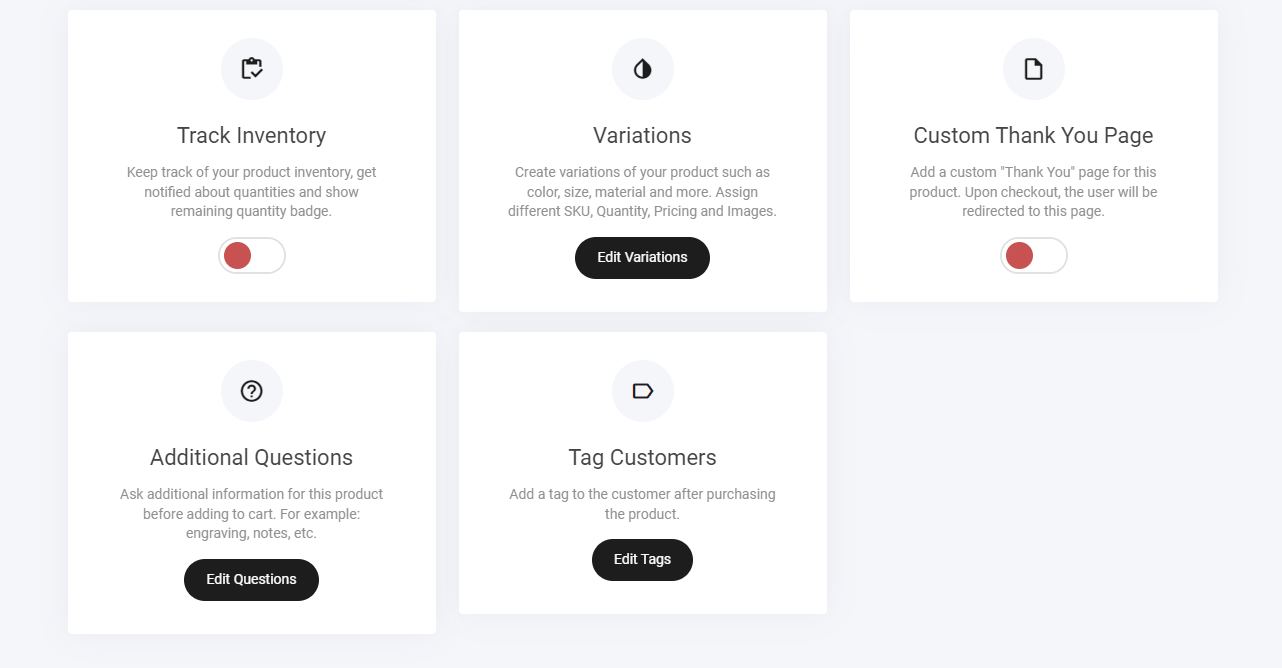 ### **Track Inventory**
Add your product quantity to enable out of stock and scarcity via the ecom store 'To enable unlimited stock numbers leave it turned off'
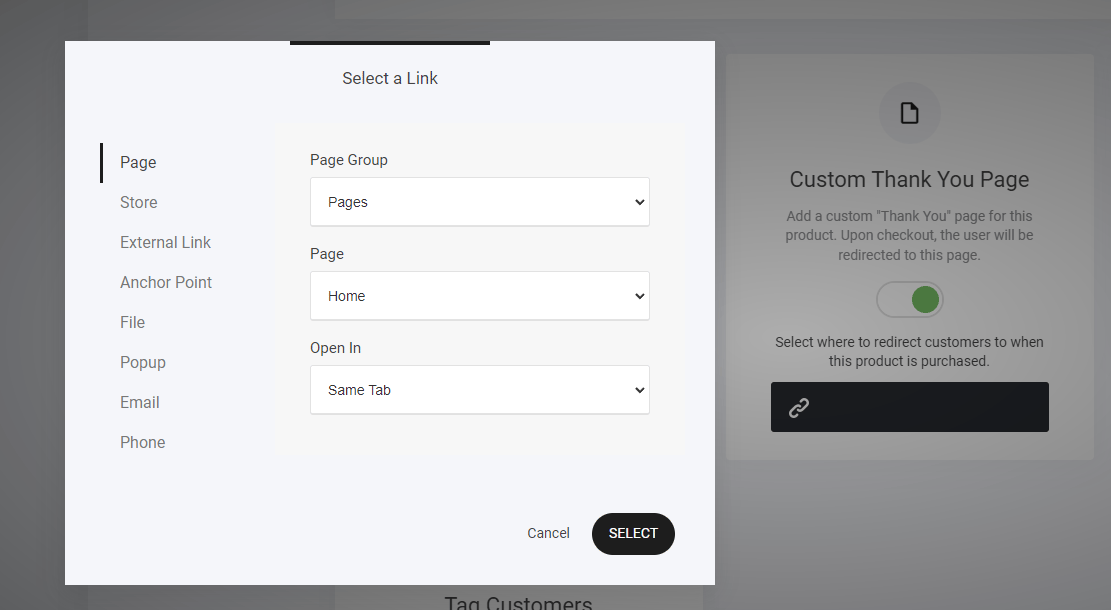
### **Custom thank you page**
If you required the user to go to a specific page within your site or outside > Select this option and add your destination url as shown below.
### **Track Inventory**
Add your product quantity to enable out of stock and scarcity via the ecom store 'To enable unlimited stock numbers leave it turned off'
### **Custom thank you page**
If you required the user to go to a specific page within your site or outside > Select this option and add your destination url as shown below.
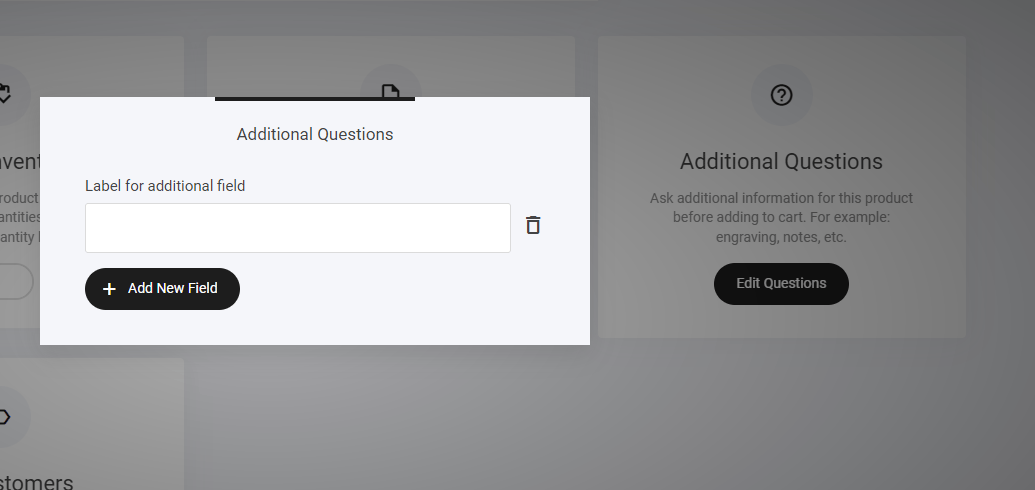
 ### **Additional Question**
Ask additional information for this product before adding to cart. For example: engraving, notes, etc.
### **Additional Question**
Ask additional information for this product before adding to cart. For example: engraving, notes, etc.
 ### **Tag Customers**
Add a tag to your product and when the customer purchases the tag will be added to their profile. Great for setting up your follow up automation and email campaigns
### **Tag Customers**
Add a tag to your product and when the customer purchases the tag will be added to their profile. Great for setting up your follow up automation and email campaigns