> ## Documentation Index
> Fetch the complete documentation index at: https://docs.bosscart.io/llms.txt
> Use this file to discover all available pages before exploring further.
# Connect your payment processor
> To start receiving payments for your ecommerce products, follow these simple steps:
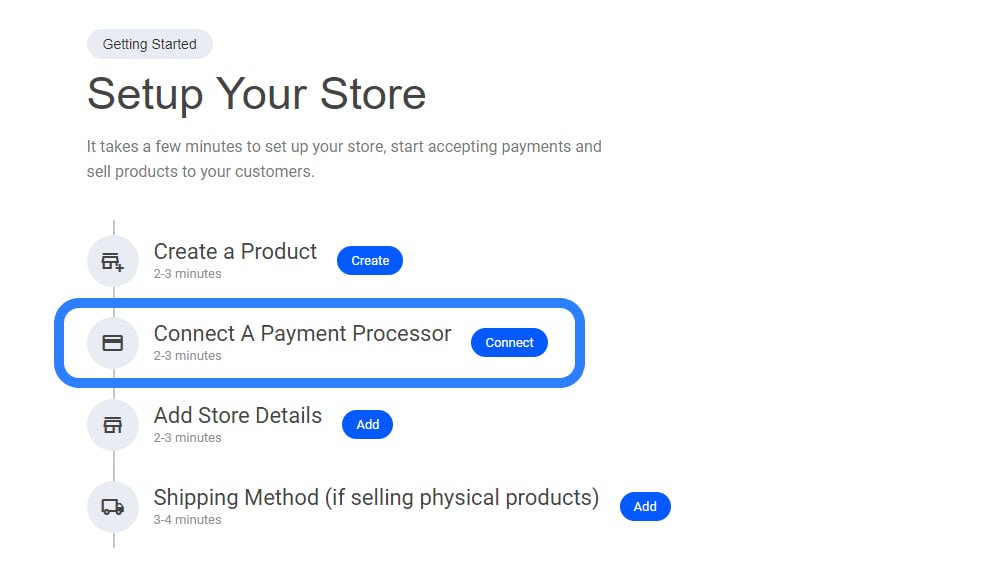 To start receiving payments for your ecommerce products, follow these simple steps:
* **Select "Connect a Payment Processor"** – Navigate to the payment setup section.
* **Choose Your Preferred Processor** – Integrate options like Stripe, PayPal, or others.
* **Configure Payment Settings** – Set up currency preferences, transaction details, and security measures.
This ensures a **smooth checkout experience** for your customers while keeping payments secure!
To start receiving payments for your ecommerce products, follow these simple steps:
* **Select "Connect a Payment Processor"** – Navigate to the payment setup section.
* **Choose Your Preferred Processor** – Integrate options like Stripe, PayPal, or others.
* **Configure Payment Settings** – Set up currency preferences, transaction details, and security measures.
This ensures a **smooth checkout experience** for your customers while keeping payments secure!
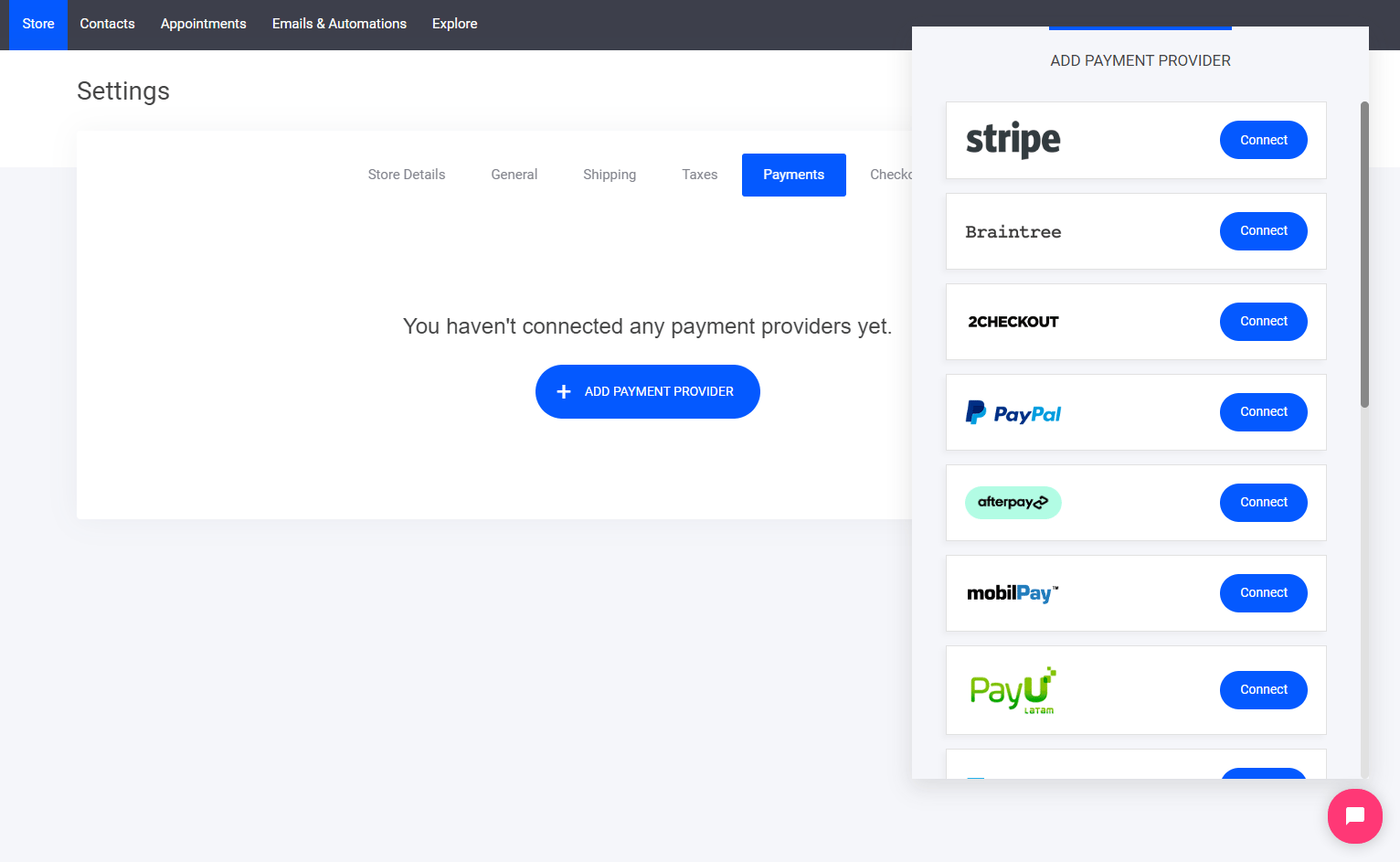 Select which payment processor you want to use
* **Stripe**
* **Braintree**
* **2Checkout**
* **PayPal**
* **Afterpay**
* **Mobilpay**
* **PayU**
* **Paystack**
* **Authorize.Net**
* **PayFast**
* **Klarna**
* **Twistpay**
* **Mollie**
* **Barclaycard**
* **Payment of delivery**
* **Bank transfer**
Select which payment processor you want to use
* **Stripe**
* **Braintree**
* **2Checkout**
* **PayPal**
* **Afterpay**
* **Mobilpay**
* **PayU**
* **Paystack**
* **Authorize.Net**
* **PayFast**
* **Klarna**
* **Twistpay**
* **Mollie**
* **Barclaycard**
* **Payment of delivery**
* **Bank transfer**