> ## Documentation Index
> Fetch the complete documentation index at: https://docs.bosscart.io/llms.txt
> Use this file to discover all available pages before exploring further.
# Applying discount
> Boost sales and incentivize purchases with three types of discounts you can configure:
Boost sales and incentivize purchases with **three types of discounts** you can configure:
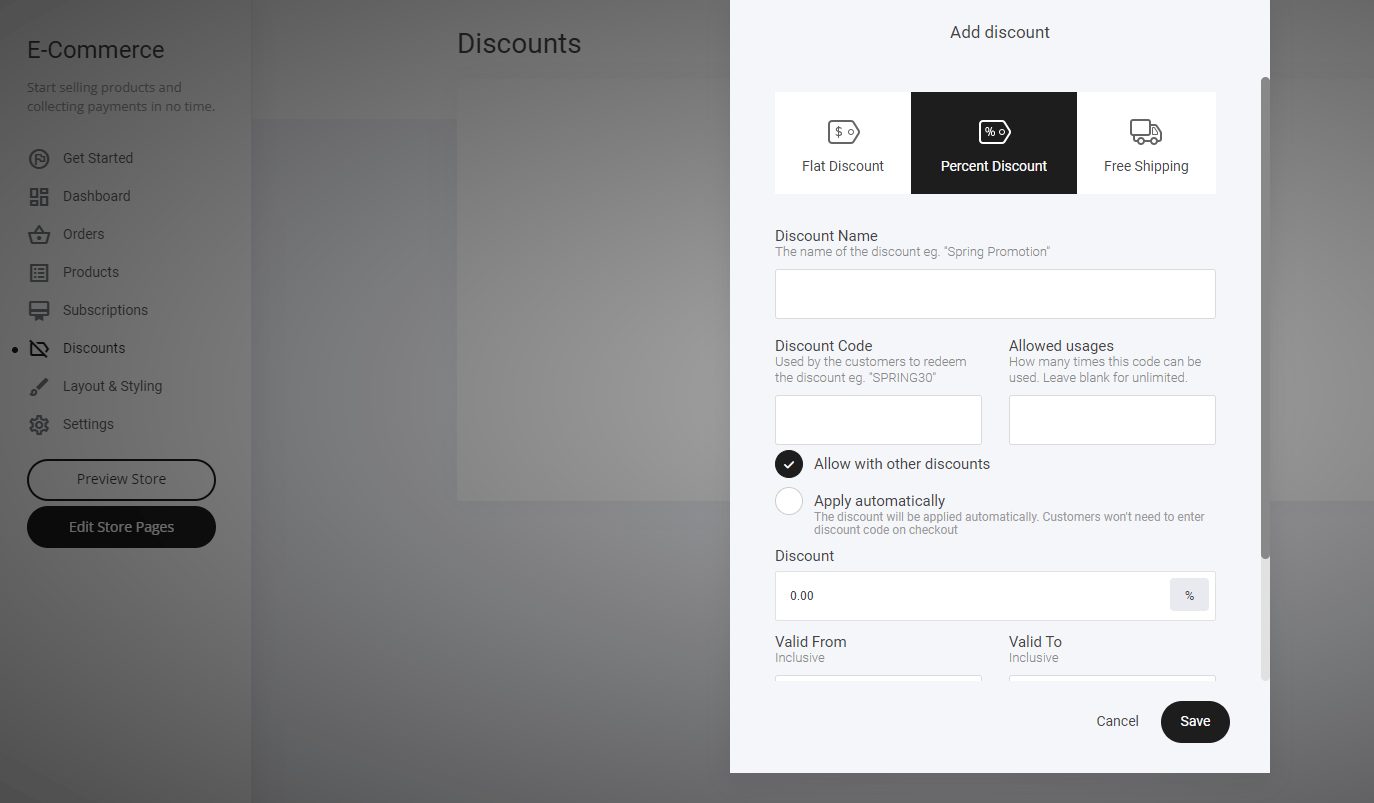
* **Flat Discount** – Deduct a fixed amount from the total price.
* **Percentage Discount** – Apply a percentage-based reduction on the purchase.
* **Free Shipping** – Remove shipping costs to encourage more conversions.
**Getting Started**
* **Navigate to the Discount Tab** – Located in **Store Settings**.
* **Enter Your Required Discount Information** – Set up rules tailored to your business needs.
A great way to **increase customer engagement and drive conversions effortlessly!**
 ### **Adding discount to specific variations.**
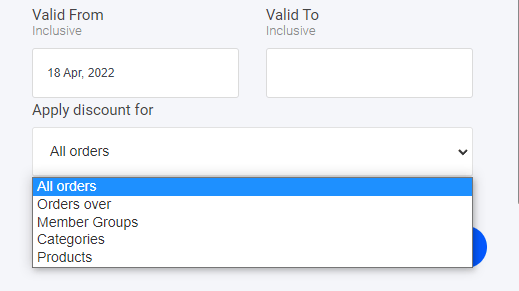
At the bottom of the pop-out window, you can select where you wish to apply the discount. Simply select your product, variation, or even allocated membership groups.
### **Adding discount to specific variations.**
At the bottom of the pop-out window, you can select where you wish to apply the discount. Simply select your product, variation, or even allocated membership groups.