> ## Documentation Index
> Fetch the complete documentation index at: https://docs.bosscart.io/llms.txt
> Use this file to discover all available pages before exploring further.
# Properties
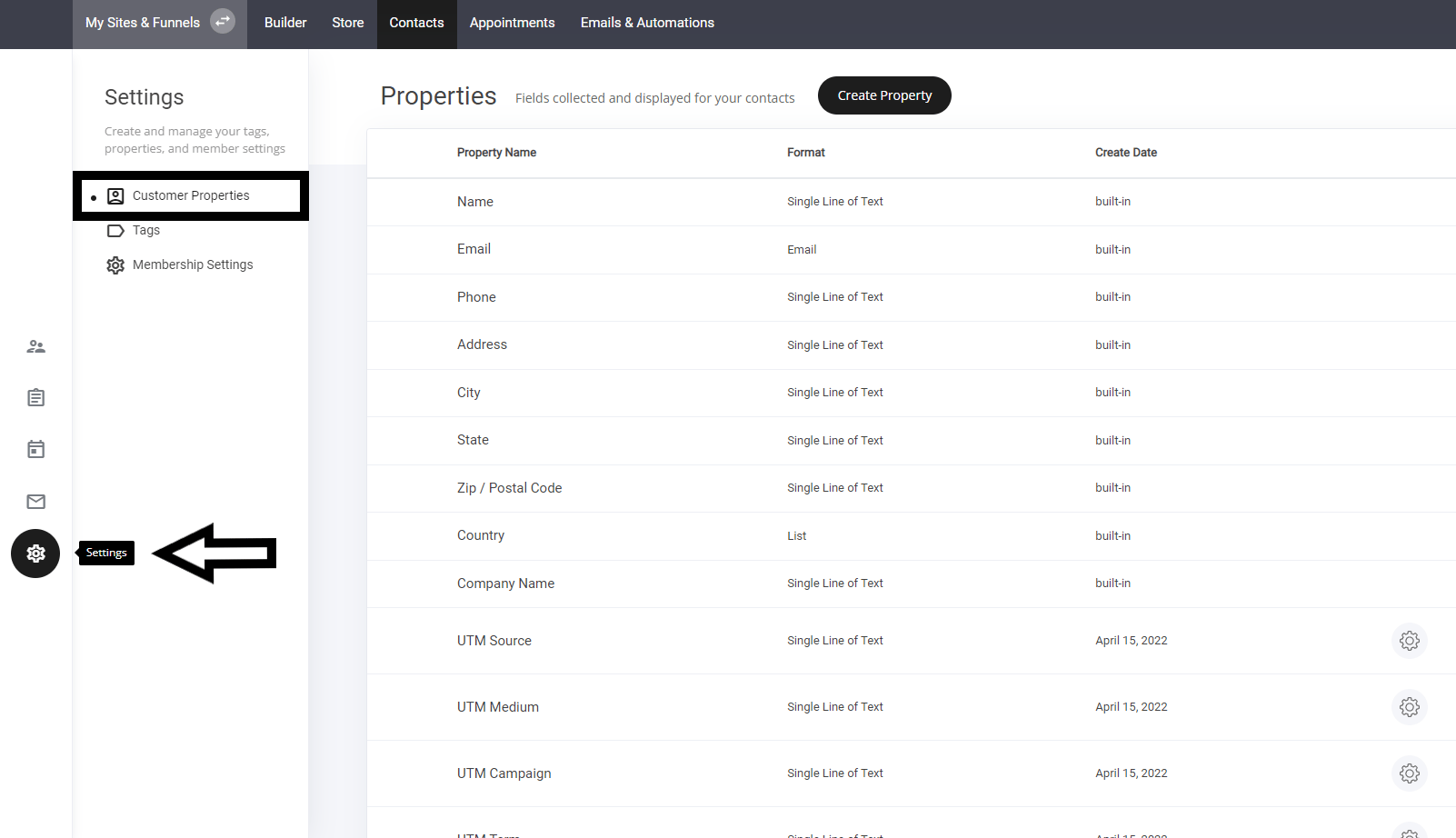
> Accessing Properties & Custom Properties
#### **Accessing Properties & Custom Properties**
Easily manage standard and custom properties for user profiles.
* **Navigate to the Settings Tab** – Open the settings panel in your dashboard.
* **Locate Properties & Custom Properties** – Adjust and configure key data points for personalization.
This ensures **streamlined profile customization** and **efficient data management**!
 ### Custom properties
Custom properties are really powerful and can aid your marketing efforts massively.
To create a custom property, simply select the field type from the list
**Field types:**
* Single line of text
* Email
* Number
* True/False
* Date
* List
### Custom properties
Custom properties are really powerful and can aid your marketing efforts massively.
To create a custom property, simply select the field type from the list
**Field types:**
* Single line of text
* Email
* Number
* True/False
* Date
* List
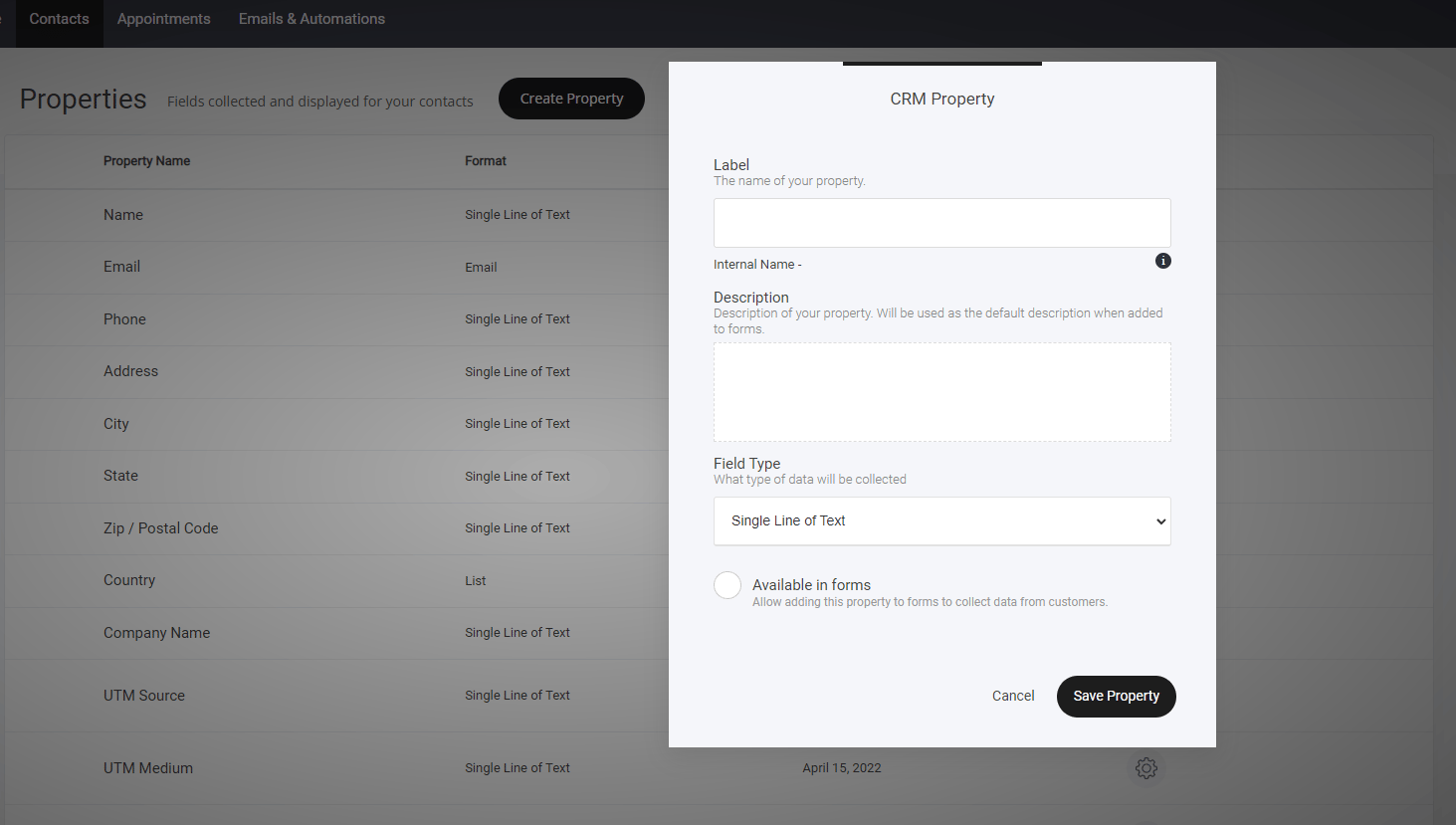 ### **Available in forms**
If you require the field to be available in your forms, simply turn it on. Note: You can hide the fields too, under the hidden field type in your form settings.
### **Available in forms**
If you require the field to be available in your forms, simply turn it on. Note: You can hide the fields too, under the hidden field type in your form settings.