 ### Create Your Review
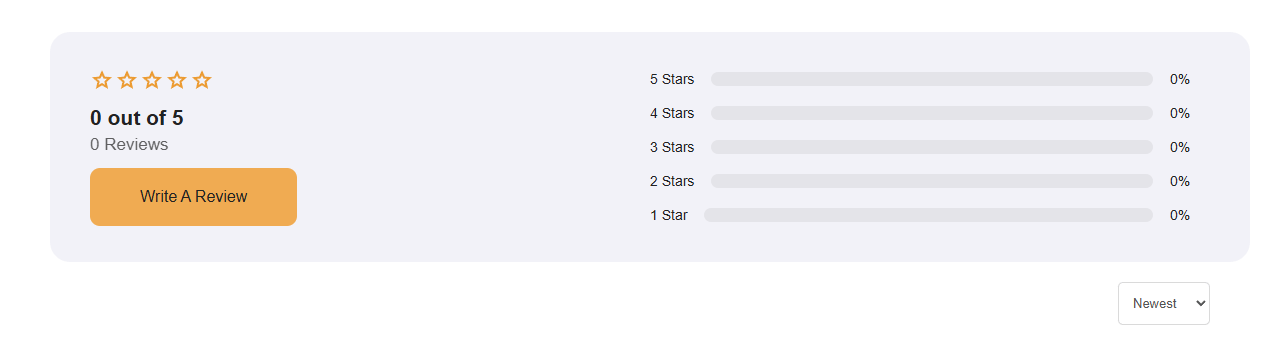
To begin setting up your **Review Widget**, follow these steps:
1. **Navigate to the left-side task bar** and locate the **Review Widget icon**.
2. **Drag & drop** the widget into the **builder canvas**.
3. **Start editing the settings** to customize how reviews are displayed and collected.
Once placed, you can refine details like **approval settings, comment visibility, and styling preferences**
### Create Your Review
To begin setting up your **Review Widget**, follow these steps:
1. **Navigate to the left-side task bar** and locate the **Review Widget icon**.
2. **Drag & drop** the widget into the **builder canvas**.
3. **Start editing the settings** to customize how reviews are displayed and collected.
Once placed, you can refine details like **approval settings, comment visibility, and styling preferences**
 ### Enter Name
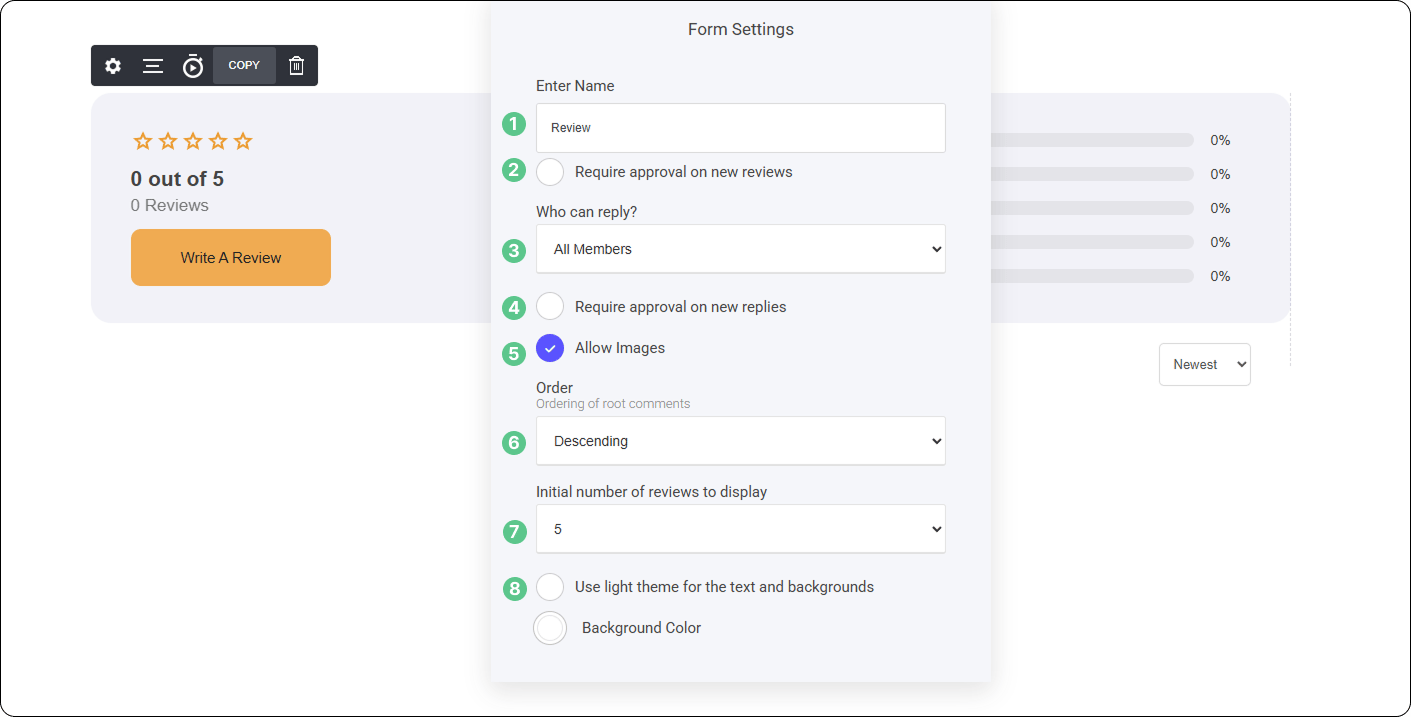
To make your **Review Widget** easily reusable across different pages, blogs, and projects, you can assign it a **custom name or label**.
* **Define a unique name** – Helps you quickly identify and reuse the widget.
* **Consistency across content** – Keeps your branding and review structure uniform.
* **Simplifies future integration** – Easily drop the widget into new sections without reconfiguring settings.
This allows for seamless **content management** while ensuring a **consistent experience** wherever your reviews are placed.
### Require Approval on New Reviews
To ensure quality control over user feedback, you can require **approval** before new reviews are published.
**How It Works:**
* **Enable Approval** – Activate this setting to review submissions before they go live.
* **Admin Control** – Except, delete in your moderator dashboard.
* **Maintain Review Integrity** – Filter out irrelevant or inappropriate content before it's visible to users.
This feature helps keep your platform **organized, professional, and aligned with community standards**.
[Community Moderation](/builder/community-lms/create-a-community/community-moderation)
### Who can Reply
If **require approval on new replies** is enabled, any **member-submitted comments to a review** will require **admin approval** before being published.
**How It Works:**
* **Comments are queued** in the **moderation dashboard**.
* **Admins review and approve** each comment before it becomes visible.
* **Rejected comments** will not be displayed to users.
* **Ensures content quality** and prevents spam or inappropriate engagement.
This feature provides greater **control over discussions**, keeping review interactions professional and relevant.
### Allow Images
You can enable **image uploads** for both **reviewers** and **members replying to reviews**, adding more depth to feedback.
**How It Works:**
* **Reviewers** – Can include images to support their review.
* **Replying Members** – Can attach images within their responses.
* **Moderation Controls** – Admins can **approve or delete** if needed.
This feature enhances **engagement and clarity**, making feedback more visual and informative.
### Enter Name
To make your **Review Widget** easily reusable across different pages, blogs, and projects, you can assign it a **custom name or label**.
* **Define a unique name** – Helps you quickly identify and reuse the widget.
* **Consistency across content** – Keeps your branding and review structure uniform.
* **Simplifies future integration** – Easily drop the widget into new sections without reconfiguring settings.
This allows for seamless **content management** while ensuring a **consistent experience** wherever your reviews are placed.
### Require Approval on New Reviews
To ensure quality control over user feedback, you can require **approval** before new reviews are published.
**How It Works:**
* **Enable Approval** – Activate this setting to review submissions before they go live.
* **Admin Control** – Except, delete in your moderator dashboard.
* **Maintain Review Integrity** – Filter out irrelevant or inappropriate content before it's visible to users.
This feature helps keep your platform **organized, professional, and aligned with community standards**.
[Community Moderation](/builder/community-lms/create-a-community/community-moderation)
### Who can Reply
If **require approval on new replies** is enabled, any **member-submitted comments to a review** will require **admin approval** before being published.
**How It Works:**
* **Comments are queued** in the **moderation dashboard**.
* **Admins review and approve** each comment before it becomes visible.
* **Rejected comments** will not be displayed to users.
* **Ensures content quality** and prevents spam or inappropriate engagement.
This feature provides greater **control over discussions**, keeping review interactions professional and relevant.
### Allow Images
You can enable **image uploads** for both **reviewers** and **members replying to reviews**, adding more depth to feedback.
**How It Works:**
* **Reviewers** – Can include images to support their review.
* **Replying Members** – Can attach images within their responses.
* **Moderation Controls** – Admins can **approve or delete** if needed.
This feature enhances **engagement and clarity**, making feedback more visual and informative.
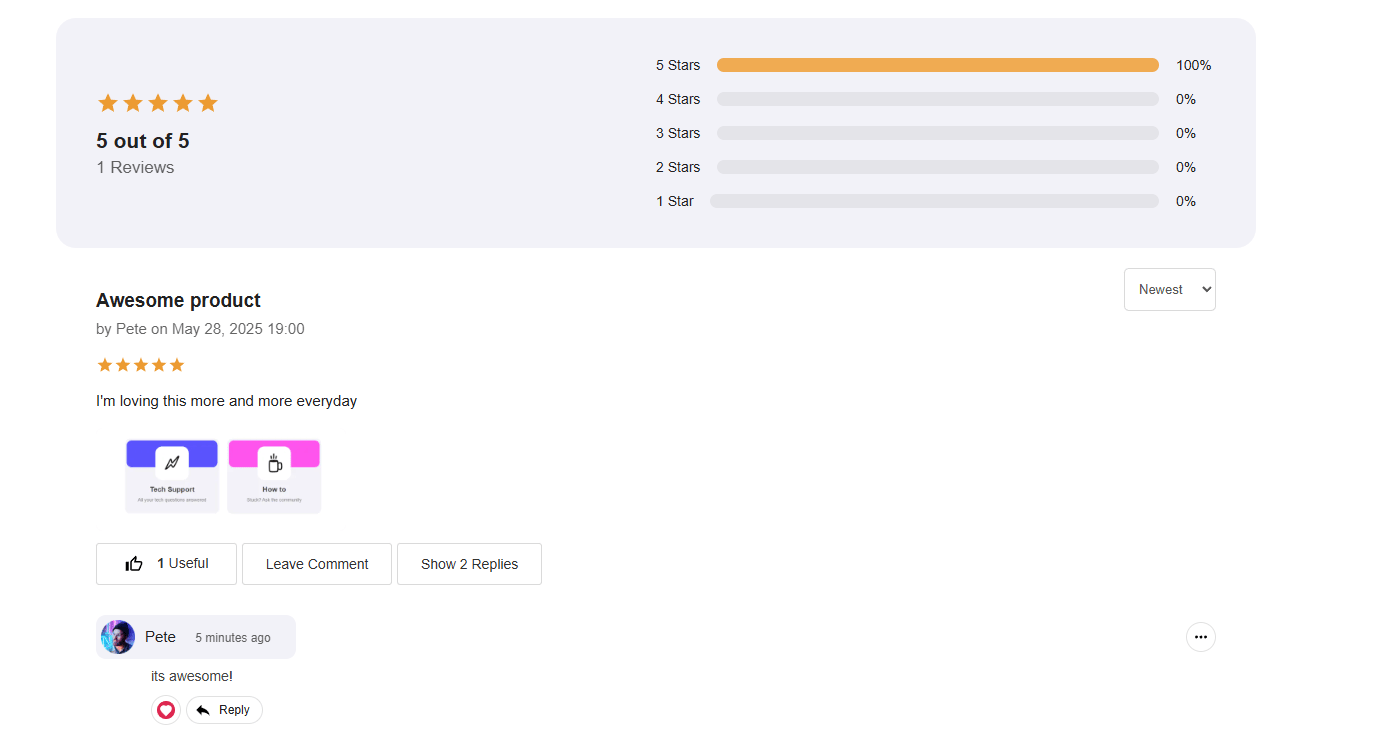
Member Review with Image Attached
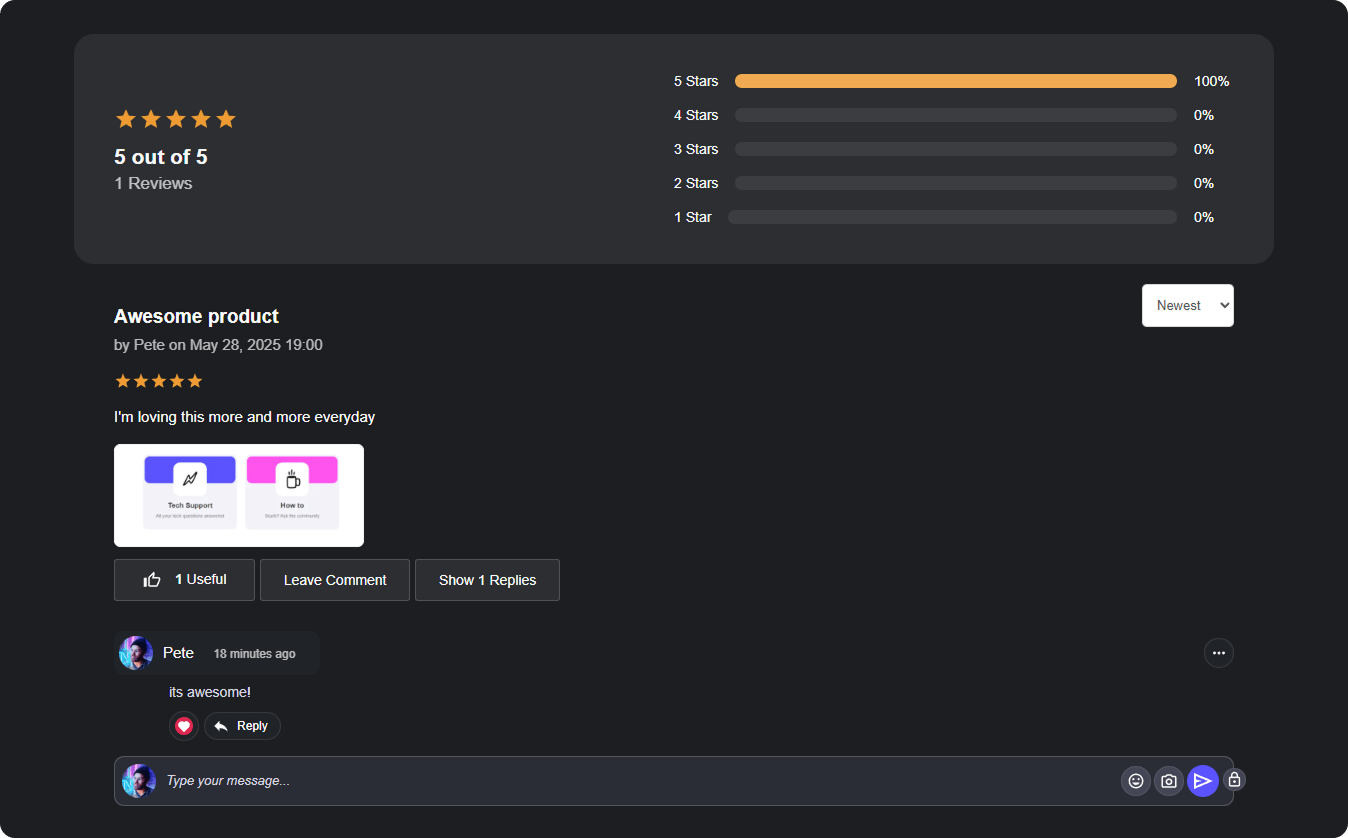
### Order You can control the order in which reviews are displayed within your page, ensuring the flows in a way that best suits your setup. * **Ascending Order** – Displays the **oldest reviews first**, maintaining a structured timeline from earliest to latest. * **Descending Order** – Shows the **newest reviews first**, keeping the most recent discussions at the top for immediate visibility. Adjusting this setting allows you to **prioritize engagement**, whether you want to highlight fresh interactions or maintain chronological readability. ### Initial Number of Reviews to Display This straightforward setting allows you to **control how many reviews** are visible by default before members need to load more. * Choose to display **3, 5, 10, or even 20** reviews initially. * Ensures a **clean and organized** layout. This feature keeps engagement flexible while allowing for a streamlined experience. ### **Light Theme for Text & Backgrounds** This setting is designed to enhance readability and contrast when using **Dark Mode** or a **darker-colored background**. **How It Works:** * **Improves Visibility** – Ensures reviews stand out with crisp, readable text. * **Enhances Design Harmony** – Helps reviews **blend into your layout** while maintaining accessibility. * **Custom Styling Options** – Adjust text brightness and background transparency for **optimal contrast**. With this feature, your **reviews remain visually clear** while complementing your overall design aesthetic.