> ## Documentation Index
> Fetch the complete documentation index at: https://docs.bosscart.io/llms.txt
> Use this file to discover all available pages before exploring further.
# Circle
> What Is the Circle and What Can It Do?
#### **What Is the Circle and What Can It Do?**
A **Circle** is more than just a community space, it’s an **interactive hub** designed to foster engagement, connection, and streamlined content delivery. Whether for businesses, creators, or organizations, Circles provide the tools to **build, manage, and customize** a dynamic community.
Here’s what makes Circles powerful:
* **Flexible Content Hosting** – Share courses, discussions, documents, and exclusive materials with ease.
* **Customizable Member Experience** – Modify layout, design, and styling to align with your brand identity.
* **Engagement & Analytics** – Track user activity, completion rates, and recurring revenue to optimize content.
* **Integrated Communication** – Send emails, SMS, and notifications directly to members for seamless interaction.
* **Interactive Features** – Enhance the experience with widgets, sidebar navigation, and user-friendly UI elements.
With Circles, you’re not just managing a community—you’re shaping an immersive space where members can **connect, learn, and interact** with content in a way that feels intuitive and on-brand.
**You can read more about how to style and edit your Circles below.**
[Circles](/builder/circles)
As mentioned, the Circle widget can be added to any page, blog post, funnel step, and more by simply dragging it into position on the editing canvas.
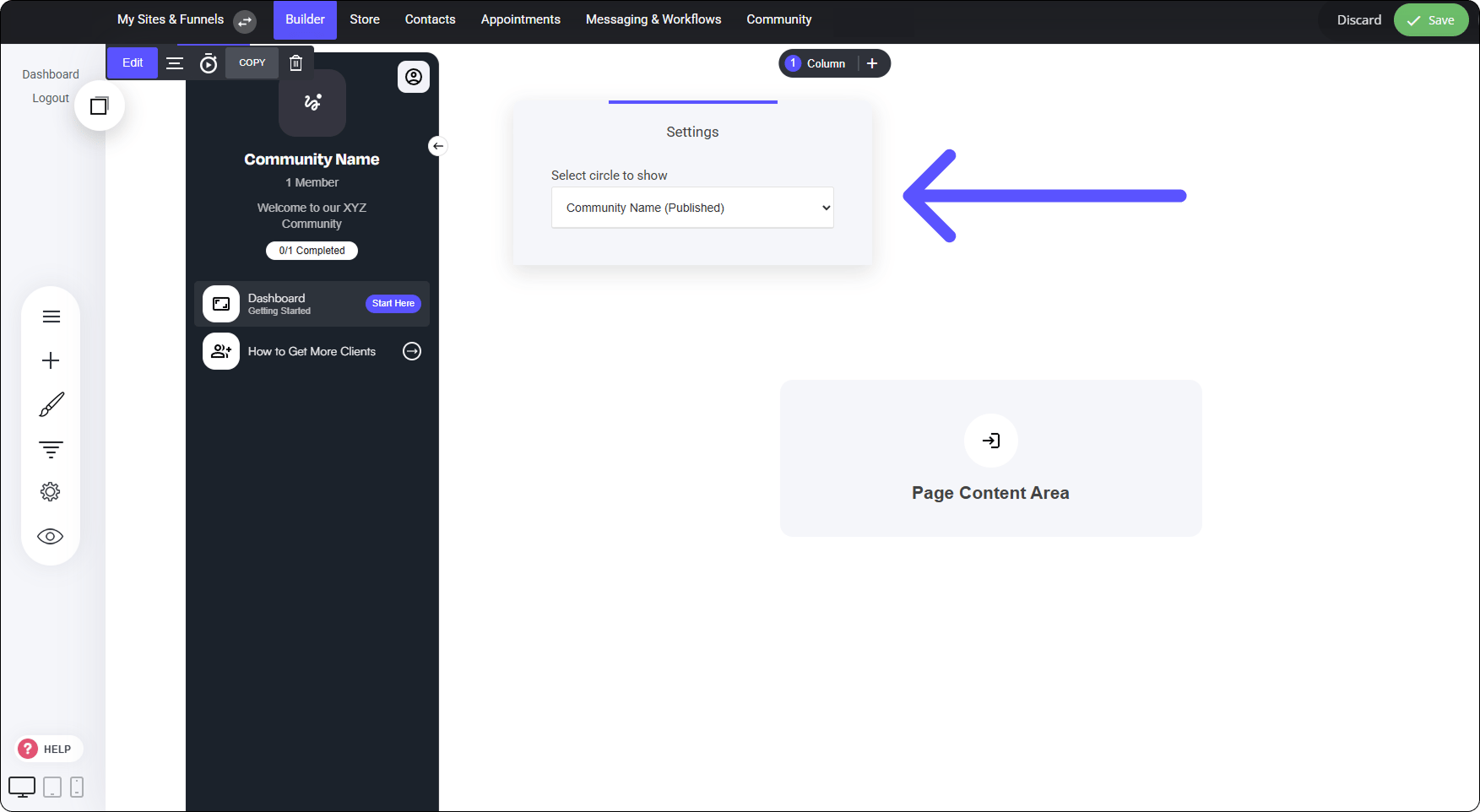 ### **Adding a Circle Widget to a Page**
The image above illustrates how a **Circle widget** appears when placed on a blank page. Once the widget is added to the canvas, you can select which **Circle** to integrate into that specific page.
From there, you can fully customize the **page layout**, including:
* Adding **new blocks and containers** to structure content.
* Incorporating a **top menu and footer** to maintain consistency.
* Adjusting styling and design to suit your branding.
Despite these customizations, the **Circle’s functionality remains unchanged**, allowing members to seamlessly navigate through Circle content.
### **Adding a Circle Widget to a Page**
The image above illustrates how a **Circle widget** appears when placed on a blank page. Once the widget is added to the canvas, you can select which **Circle** to integrate into that specific page.
From there, you can fully customize the **page layout**, including:
* Adding **new blocks and containers** to structure content.
* Incorporating a **top menu and footer** to maintain consistency.
* Adjusting styling and design to suit your branding.
Despite these customizations, the **Circle’s functionality remains unchanged**, allowing members to seamlessly navigate through Circle content.