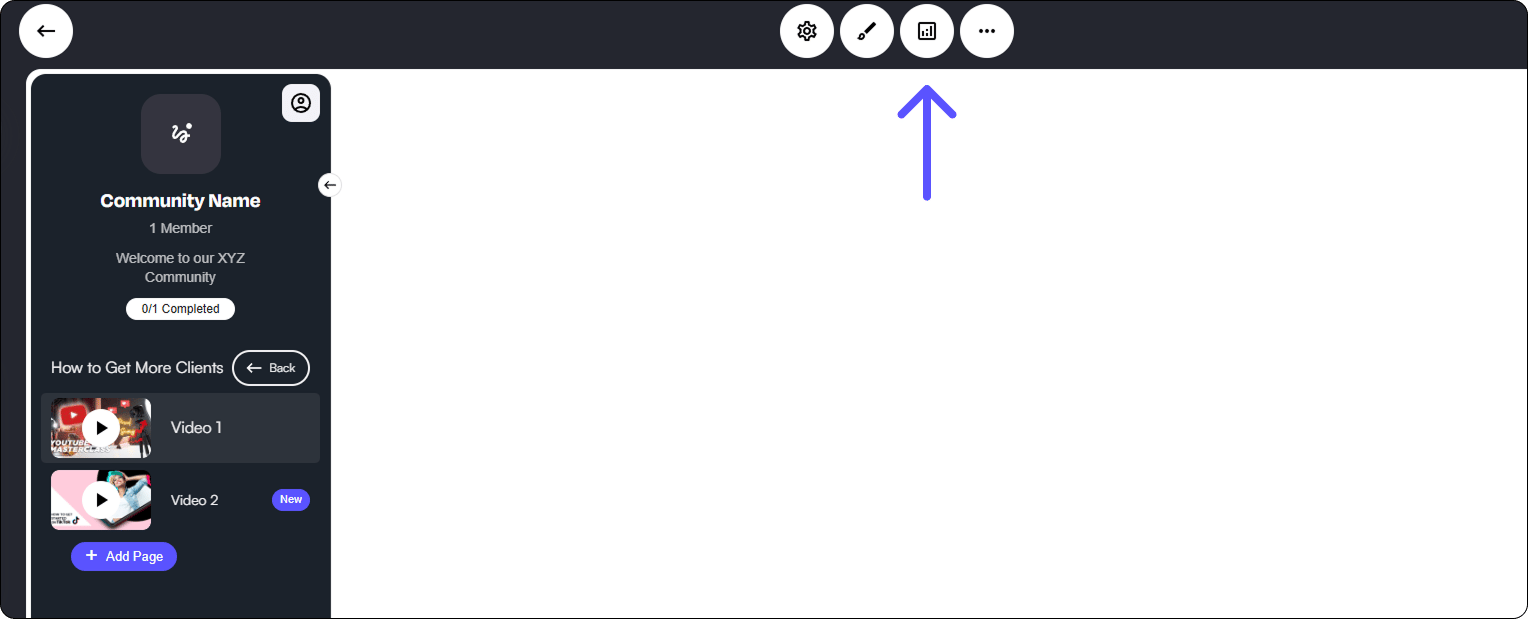
Main Circle Dashboard
### Analytics Tab When you click the **Analytics** tab at the top, a **pop-out screen** will appear, giving you easy access to all analytics and engagement insights. Within this screen, you can explore different sections, allowing you to track community activity, member interactions, and financial metrics. First, let’s take a look at the **initial analytics overview**—here, you’ll find **key data points**, including: * **Current member statistics** – See total members, active participation, and growth trends. * **Recurring revenue** – Gain insights into subscription-based earnings and financial performance. * **Engagement metrics** – Track how members interact, including post completion activity. This dashboard provides a comprehensive view of your Circle’s performance, helping you make informed decisions to refine engagement and optimize growth.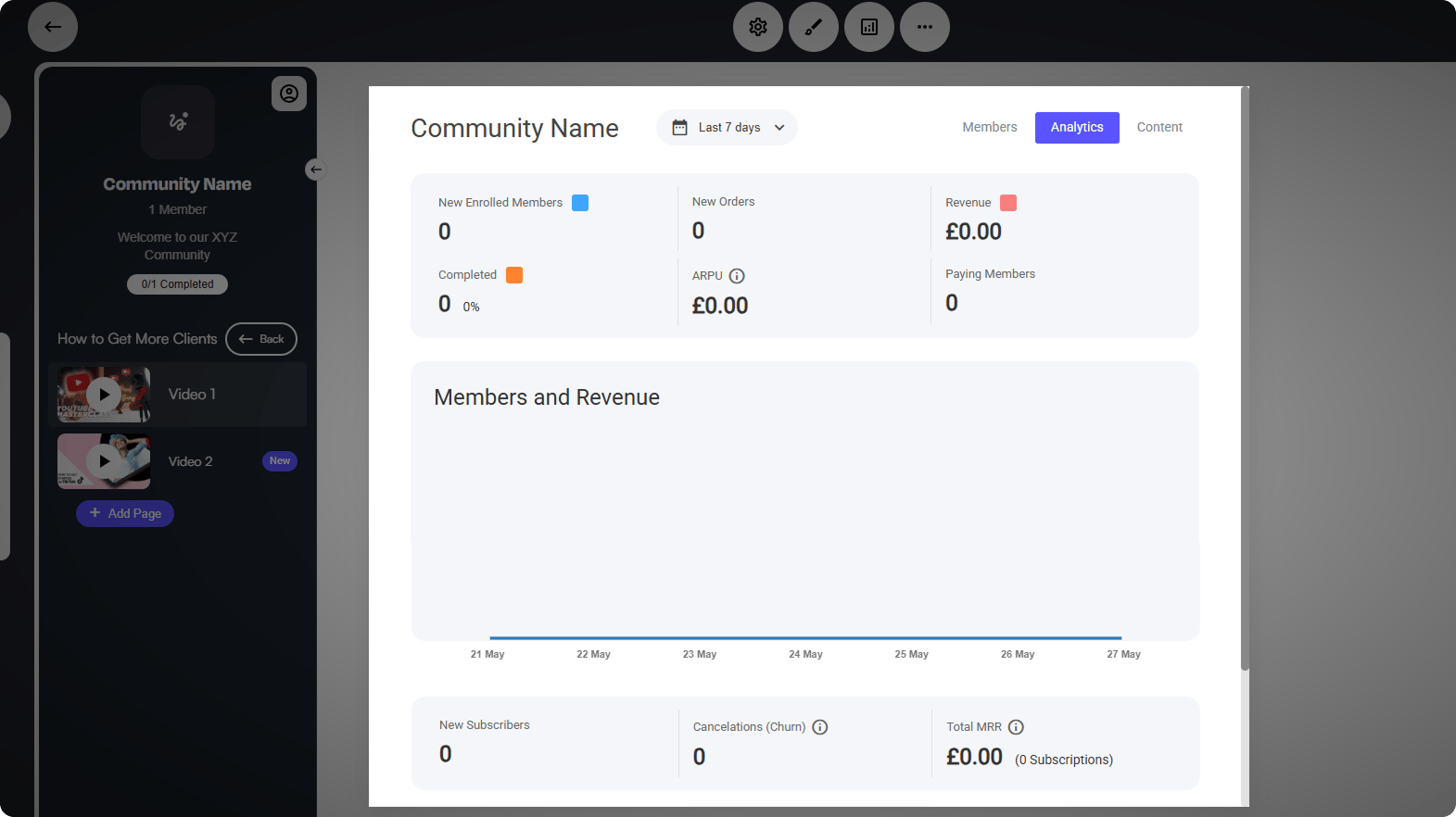 ### Content Tab
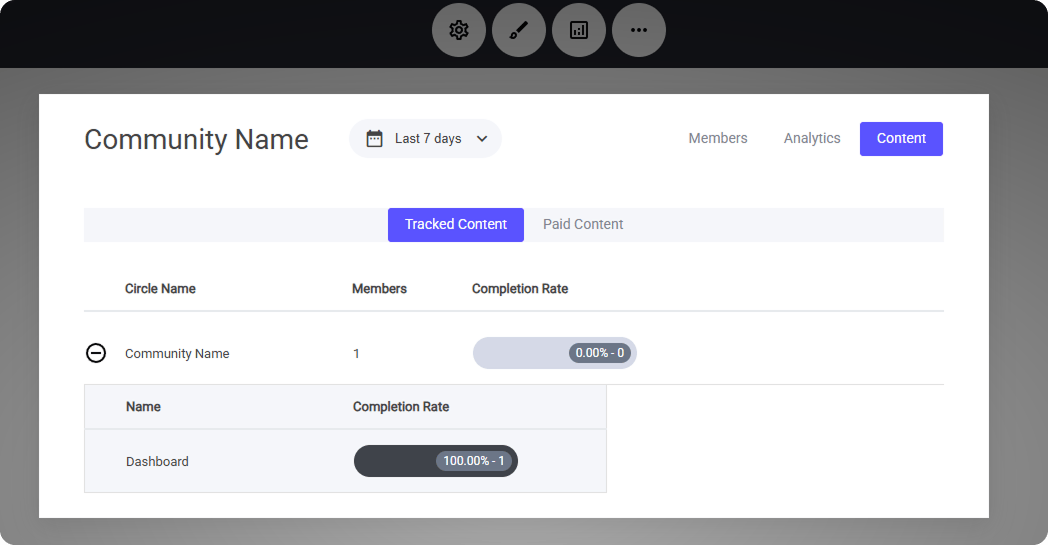
The **Content Tab** provides a **bird’s-eye view** of all member analytics, helping you monitor engagement and track activity within your Circle.
With this tool, you can:
* **Review overall completion rates** to see how members interact with your content.
* **Analyze paid content activity** to understand which resources are driving the most engagement.
* **Identify user trends** to optimize content delivery and improve member experience.
This centralized dashboard makes it easy to assess performance and make data-driven decisions for your Circle.
### Content Tab
The **Content Tab** provides a **bird’s-eye view** of all member analytics, helping you monitor engagement and track activity within your Circle.
With this tool, you can:
* **Review overall completion rates** to see how members interact with your content.
* **Analyze paid content activity** to understand which resources are driving the most engagement.
* **Identify user trends** to optimize content delivery and improve member experience.
This centralized dashboard makes it easy to assess performance and make data-driven decisions for your Circle.
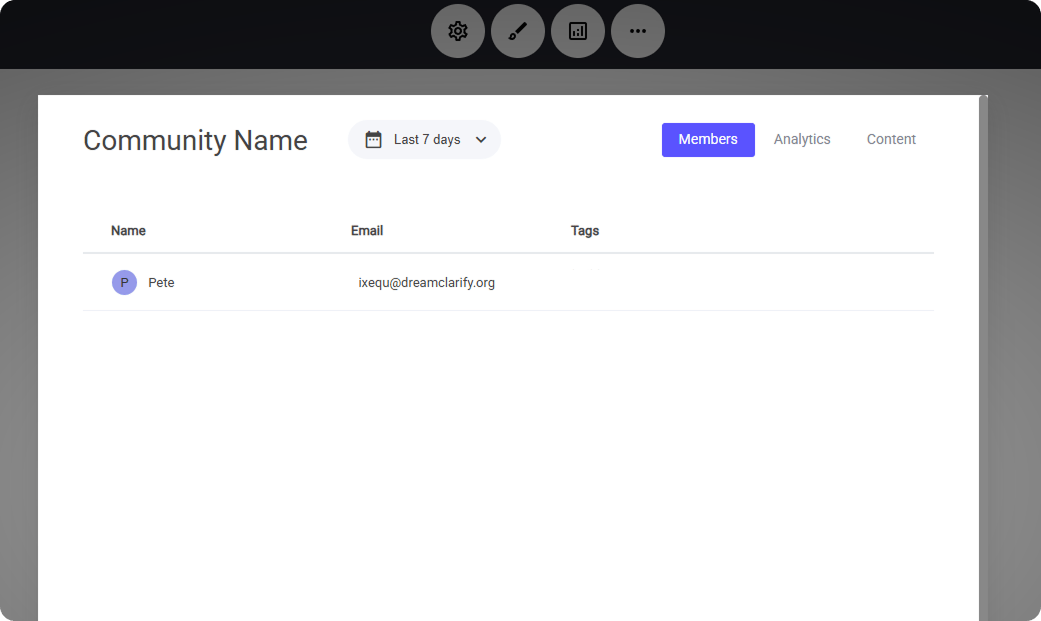
 ### Member Data
The **Members Tab** gives you direct access to a complete list of all current and active members within your Circle. From here, you can:
* **Select individual members** to dive deeper into their activity, purchases, and interactions.
* **Analyze detailed insights**, allowing you to tailor your content and optimize the member experience.
This tool makes it easy to track engagement, offer personalized support, and strengthen connections within your Circle
### Member Data
The **Members Tab** gives you direct access to a complete list of all current and active members within your Circle. From here, you can:
* **Select individual members** to dive deeper into their activity, purchases, and interactions.
* **Analyze detailed insights**, allowing you to tailor your content and optimize the member experience.
This tool makes it easy to track engagement, offer personalized support, and strengthen connections within your Circle
 Once you select a member from the list, you’ll gain access to a **detailed profile view**, providing valuable insights into their engagement and activity within your Circle.
Here’s what you’ll find in an active member’s profile:
* **Personal details** – Basic account information, including name and membership status.
* **Engagement history** – A timeline of their interactions, such as content views, comments, and participation in discussions.
* **Purchase history** – If applicable, a breakdown of past transactions, subscriptions, or paid content access.
* **Completion rates** – A snapshot of their progress through available content, helping you gauge overall participation.
Once you select a member from the list, you’ll gain access to a **detailed profile view**, providing valuable insights into their engagement and activity within your Circle.
Here’s what you’ll find in an active member’s profile:
* **Personal details** – Basic account information, including name and membership status.
* **Engagement history** – A timeline of their interactions, such as content views, comments, and participation in discussions.
* **Purchase history** – If applicable, a breakdown of past transactions, subscriptions, or paid content access.
* **Completion rates** – A snapshot of their progress through available content, helping you gauge overall participation.
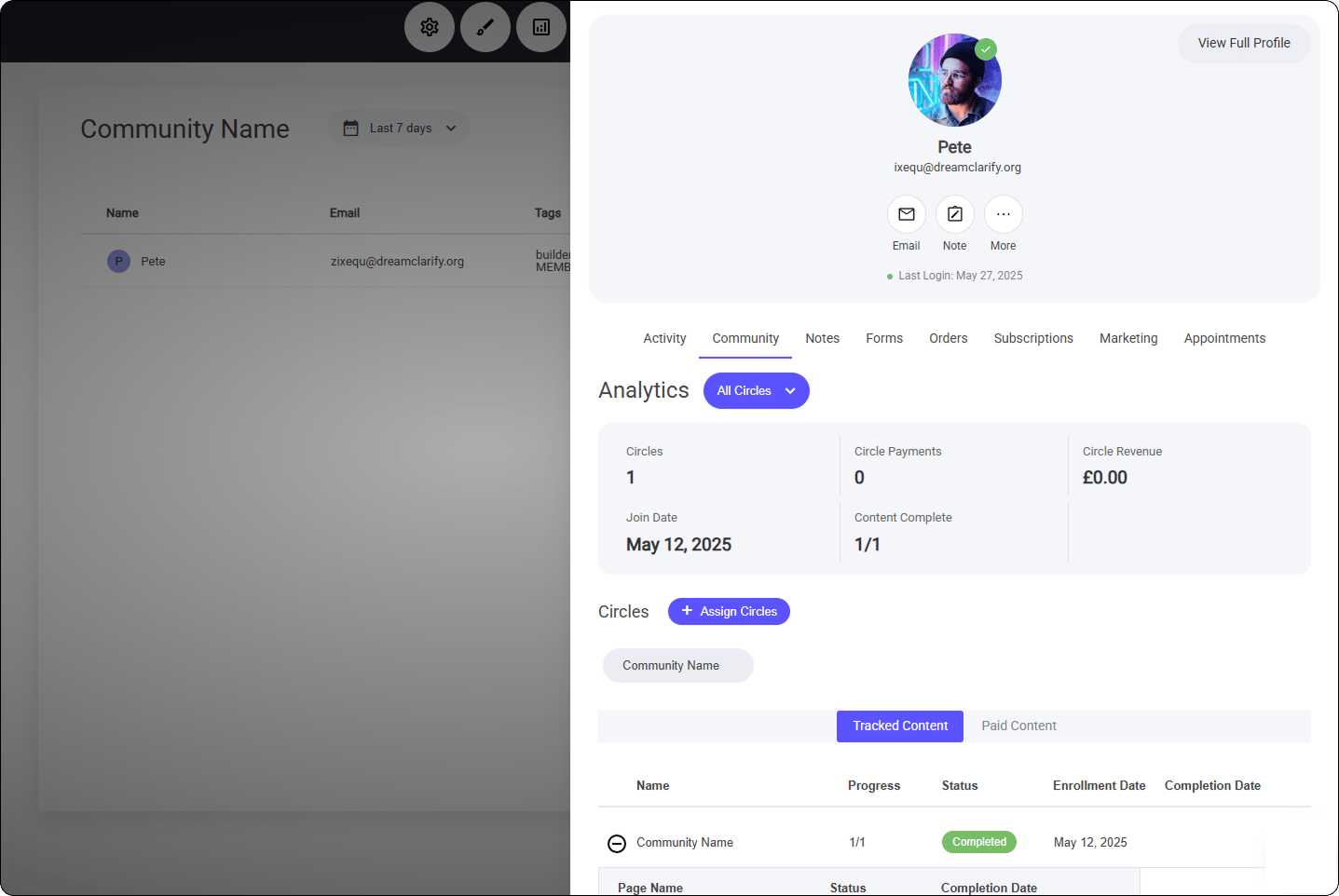 While viewing an individual member’s profile within the **Members Tab**, you have several administrative tools at your disposal to enhance management and communication.
Here’s what you can do:
* **Manually add the member to another Circle** – Expand their access and involvement with just a few clicks.
* **Send an Email or SMS** – Quickly connect with members for updates, announcements, or direct support.
* **Add notes** – Keep track of important details or internal comments about the member’s engagement, preferences, or interactions.
These features ensure smooth member management, allowing you to maintain engagement and provide personalized support within your Circle.
### Add a member to a Circle Manually
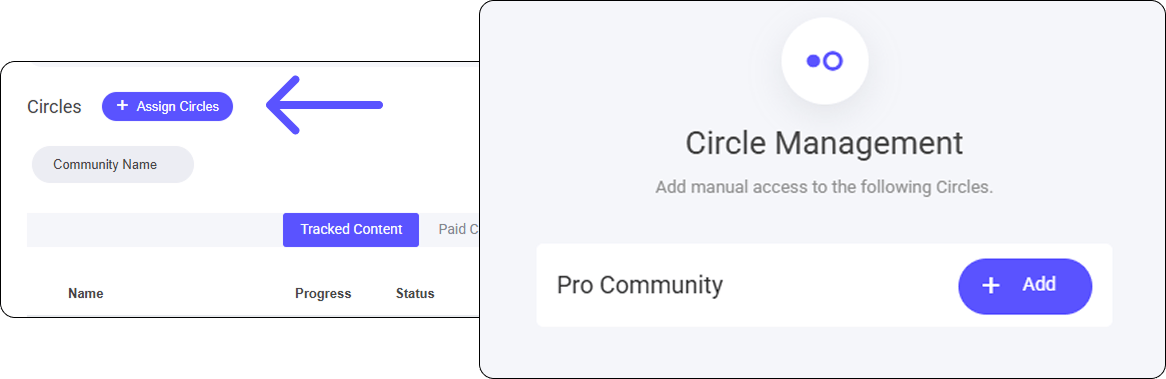
To manually add a member to an additional Circle, select the **+Assign Circles** button.
Here you will be able to select any other Circles that are **active** and add that member directly to it.
While viewing an individual member’s profile within the **Members Tab**, you have several administrative tools at your disposal to enhance management and communication.
Here’s what you can do:
* **Manually add the member to another Circle** – Expand their access and involvement with just a few clicks.
* **Send an Email or SMS** – Quickly connect with members for updates, announcements, or direct support.
* **Add notes** – Keep track of important details or internal comments about the member’s engagement, preferences, or interactions.
These features ensure smooth member management, allowing you to maintain engagement and provide personalized support within your Circle.
### Add a member to a Circle Manually
To manually add a member to an additional Circle, select the **+Assign Circles** button.
Here you will be able to select any other Circles that are **active** and add that member directly to it.
 ### **Sending an Email or SMS to a Member**
If you need to reach out to a member, simply **select the relevant icon** for either **Email or SMS**, and you're ready to send your message.
The email and SMS functionality works exactly the same way as it does when sending messages from their CRM profile, ensuring a seamless experience for communication.
**Click below to read more** about sending an email or SMS to an individual user/member.
[Individual Email Sending](/builder/platform/messaging-and-workflows/individual-email-sending)
[SMS & WhatsApp](/builder/platform/messaging-and-workflows/sms-and-whatsapp#individual-sms)
### **Sending an Email or SMS to a Member**
If you need to reach out to a member, simply **select the relevant icon** for either **Email or SMS**, and you're ready to send your message.
The email and SMS functionality works exactly the same way as it does when sending messages from their CRM profile, ensuring a seamless experience for communication.
**Click below to read more** about sending an email or SMS to an individual user/member.
[Individual Email Sending](/builder/platform/messaging-and-workflows/individual-email-sending)
[SMS & WhatsApp](/builder/platform/messaging-and-workflows/sms-and-whatsapp#individual-sms)