> ## Documentation Index
> Fetch the complete documentation index at: https://docs.bosscart.io/llms.txt
> Use this file to discover all available pages before exploring further.
# Blog Header and Sidebar Settings
> The Header and Sidebar shape the base template for all your articles, ensuring consistency and branding across your blog.
The **Header and Sidebar** shape the **base template** for all your articles, ensuring consistency and branding across your blog.
**How to Edit:**
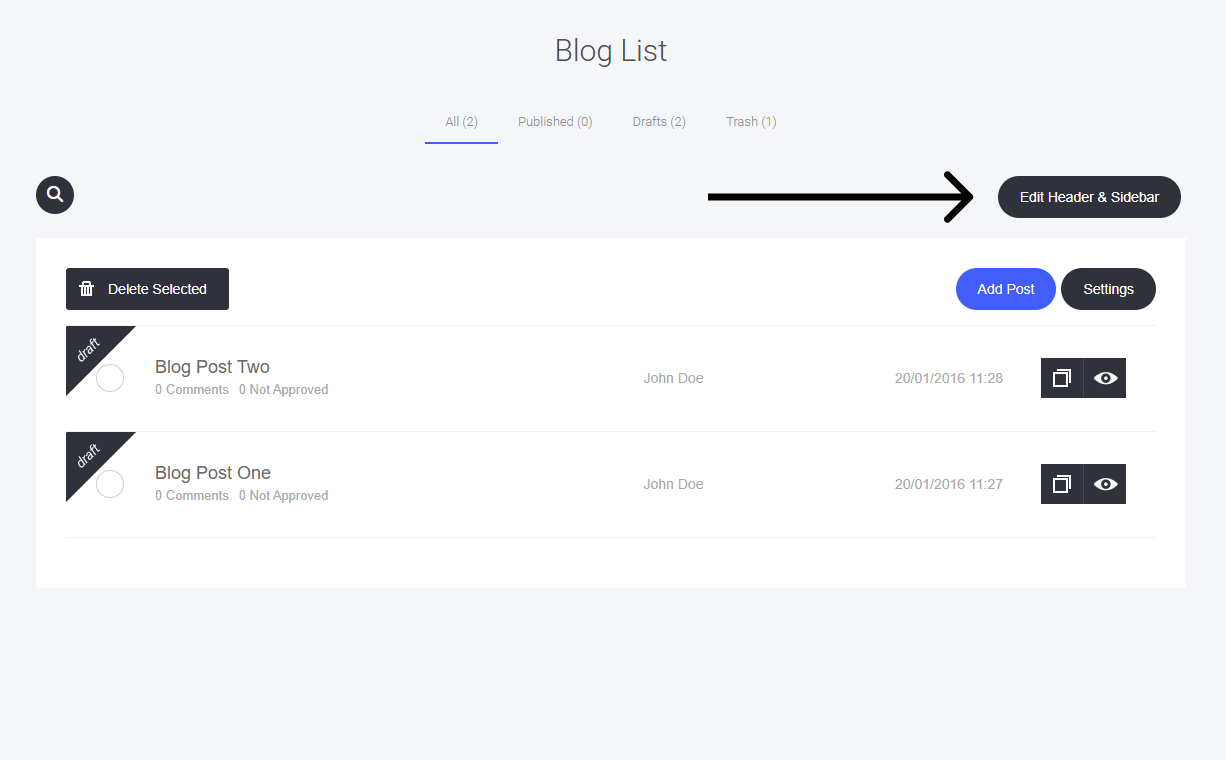
1. **Locate the 'Edit Header & Sidebar' Button** – Found in your blog settings.
2. **Click to Open Editor** – Access customization options for layout and content.
3. **Modify Header Elements** – Adjust navigation links, branding, and styles.
4. **Refine Sidebar Widgets** – Add or remove content blocks, categories, and social links.
A **simple way** to create a **cohesive and visually appealing** blog layout!
 This will open the drag-and-drop editor, where you can edit the blog header section and the sidebar (if you choose to use a sidebar).
You can use any of the [widgets](/builder/platform/widgets) to help add any elements to the header and sidebar if required.
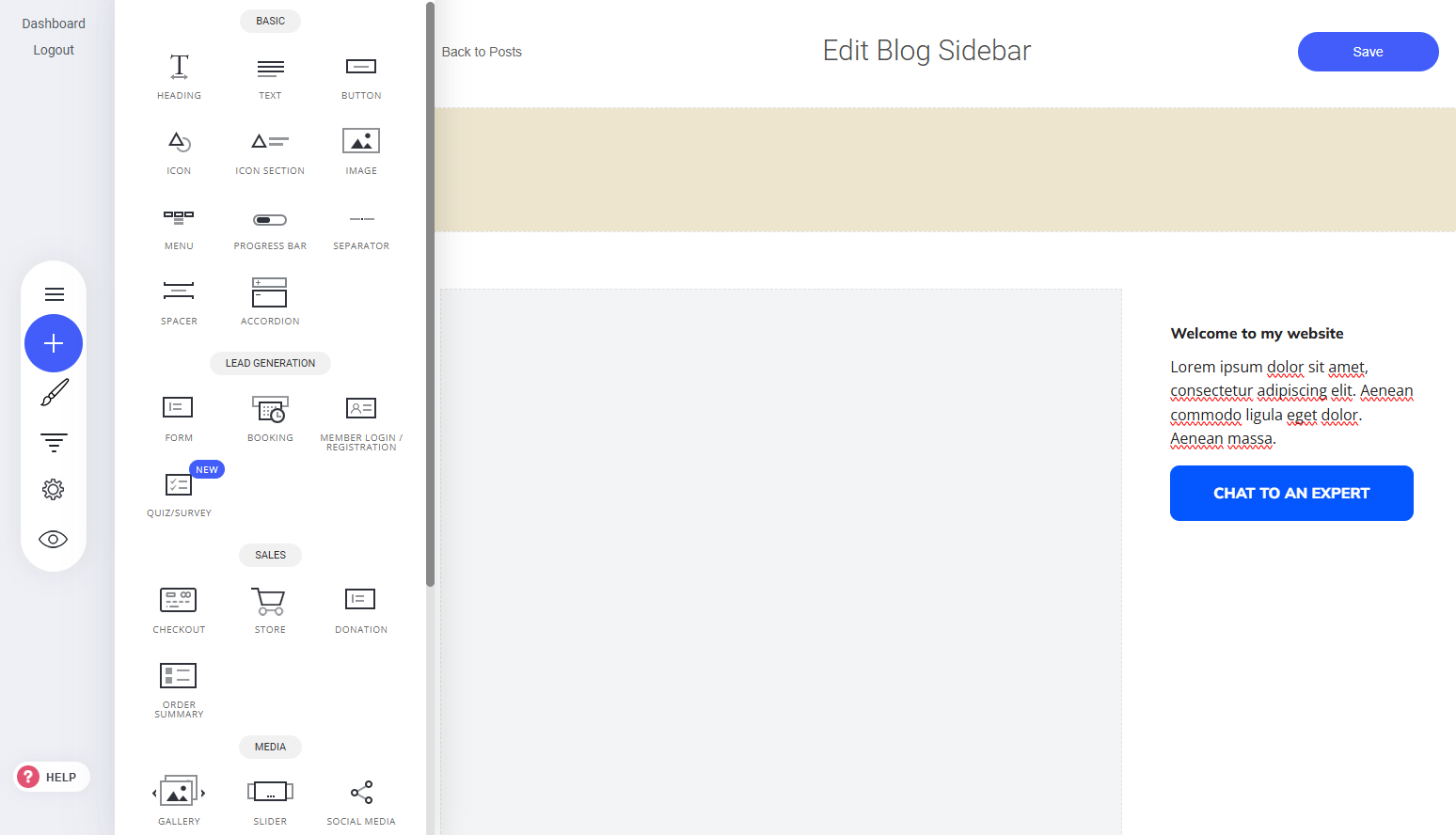
This will open the drag-and-drop editor, where you can edit the blog header section and the sidebar (if you choose to use a sidebar).
You can use any of the [widgets](/builder/platform/widgets) to help add any elements to the header and sidebar if required.