> ## Documentation Index
> Fetch the complete documentation index at: https://docs.bosscart.io/llms.txt
> Use this file to discover all available pages before exploring further.
# Getting Started
> Getting started on your blog is simple!
Getting started on your blog is simple!
**Steps to Begin:**
1. **Navigate to the "Pages" Menu** – Find the section where all website pages are managed.
2. **Click on "Blog"** – Open the blog setup and editing interface.
3. **Customize Your Blog Layout** – Adjust design, settings, and organization.
4. **Start Adding Posts** – Write engaging content to attract and retain readers.
With **just a few clicks**, you’ll be on your way to building a valuable blog!
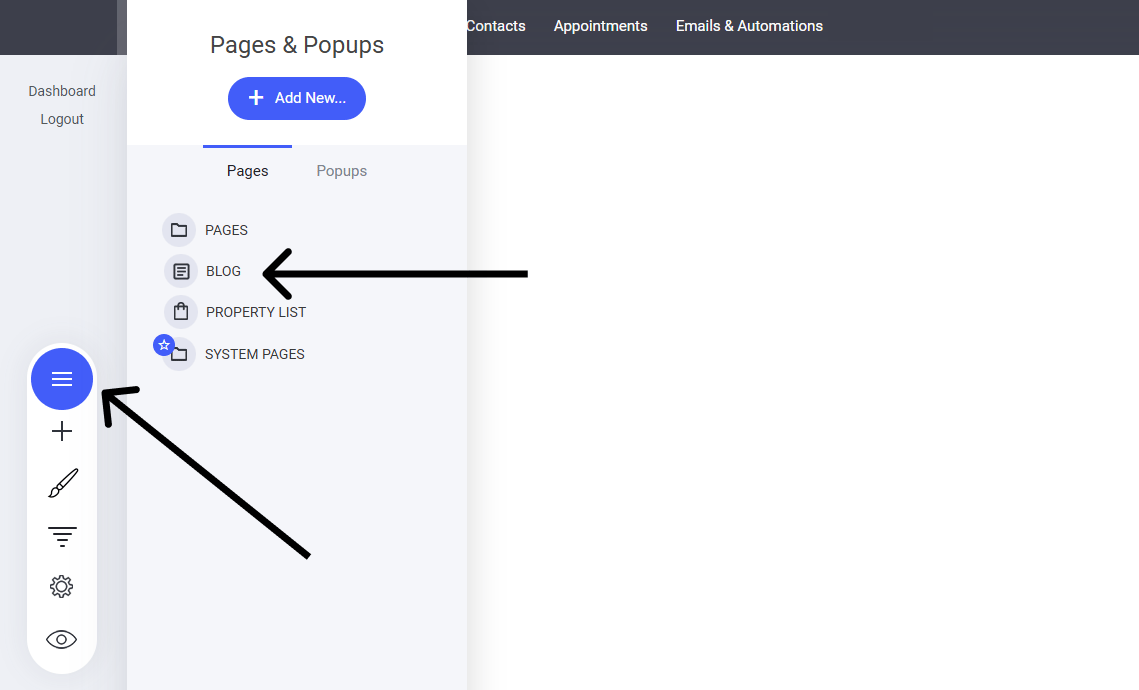 This will now open the main blog listing page where you can add new blogs and more.
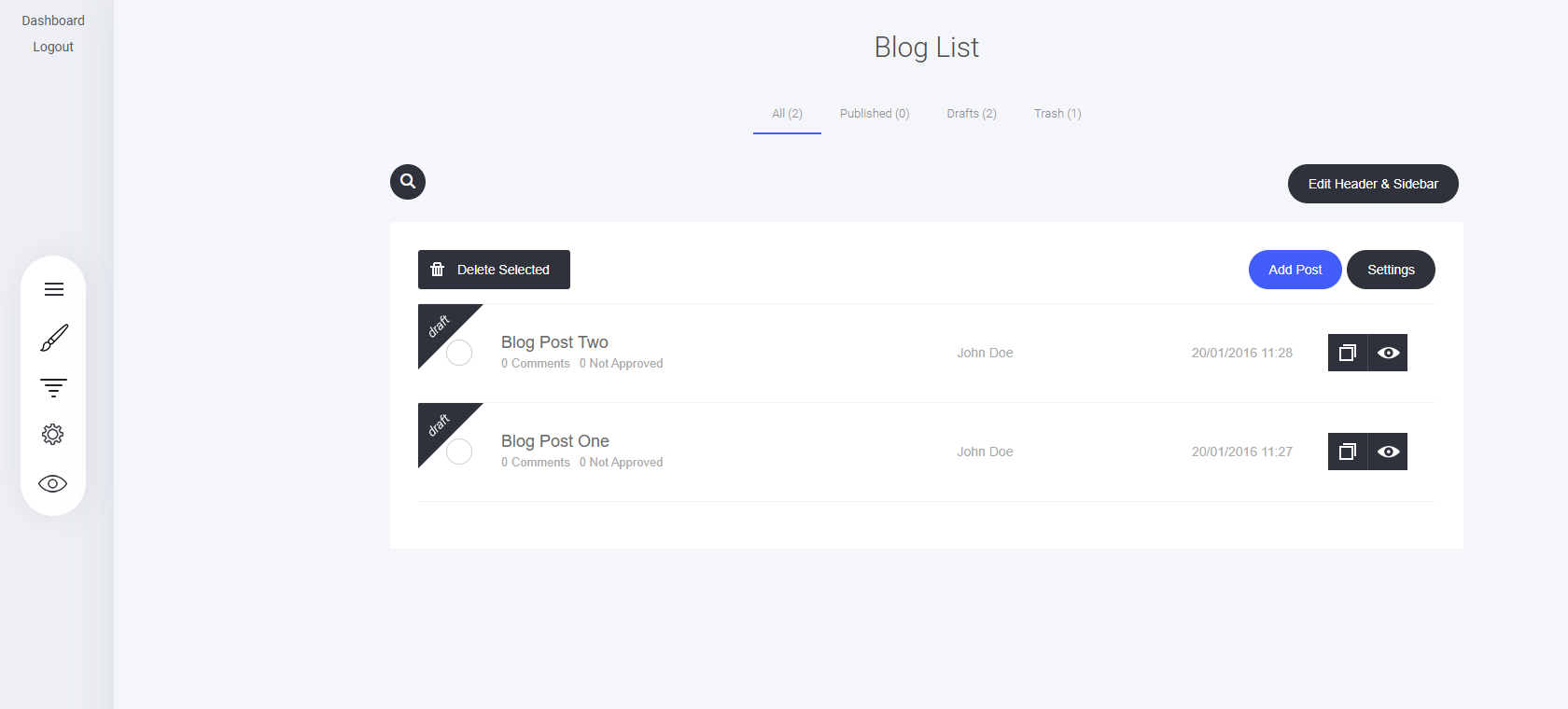 **From here, you can:**
* Filter to see All, Published, Drafts, or Trash articles.
* [Edit the Header & Sidebar for the blog](/builder/blog/getting-started/blog-header-and-sidebar-settings)
* Add posts
* Delete selected posts
* Change the Blog Settings
* See the list of all your articles including comments, author and published date
* Clone an article
* Preview and article
**From here, you can:**
* Filter to see All, Published, Drafts, or Trash articles.
* [Edit the Header & Sidebar for the blog](/builder/blog/getting-started/blog-header-and-sidebar-settings)
* Add posts
* Delete selected posts
* Change the Blog Settings
* See the list of all your articles including comments, author and published date
* Clone an article
* Preview and article