> ## Documentation Index
> Fetch the complete documentation index at: https://docs.bosscart.io/llms.txt
> Use this file to discover all available pages before exploring further.
# Article Settings
> Every blog article comes with its own customizable settings.
Every blog article comes with its own customizable settings.
**How to Access Article Settings:**
1. **Open the Blog Article** – Navigate to the post you want to modify.
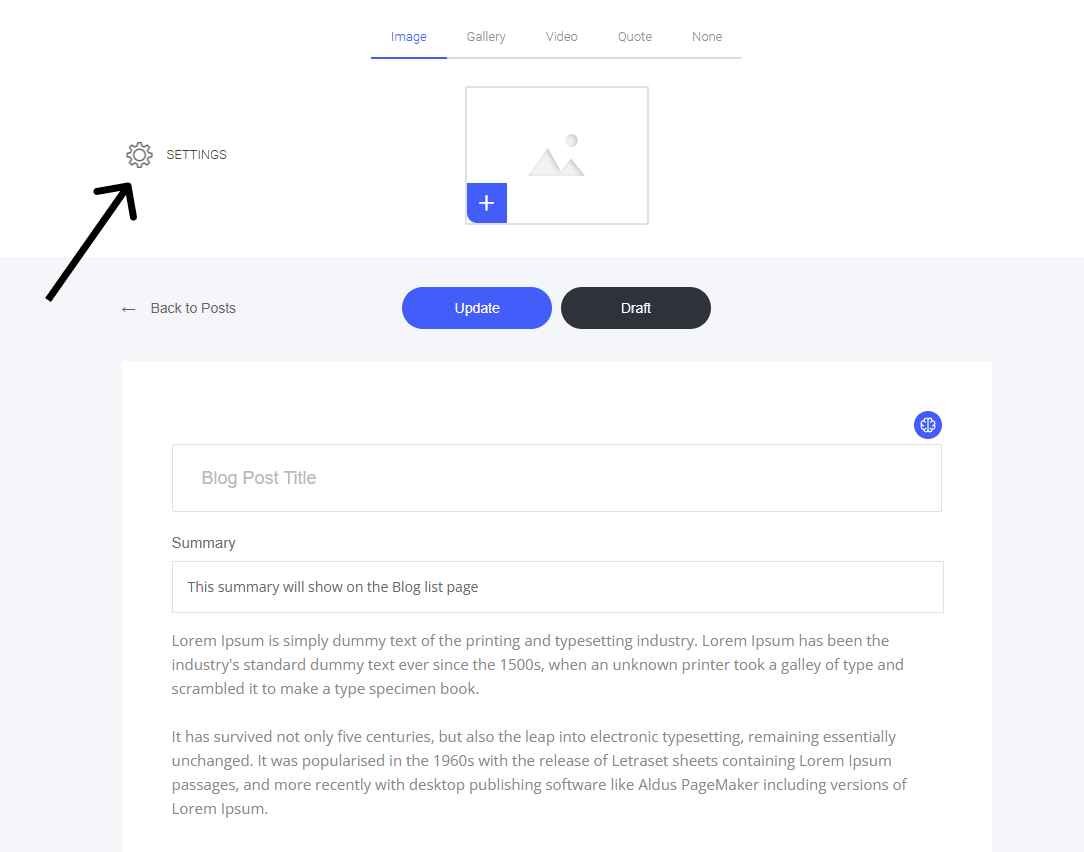
2. **Locate the Settings Cog** – Positioned in the **top left** corner of the editor.
3. **Click to Open** – Access various customization options for the article.
This allows you to fine-tune details for **each post**, making sure it aligns with your needs!
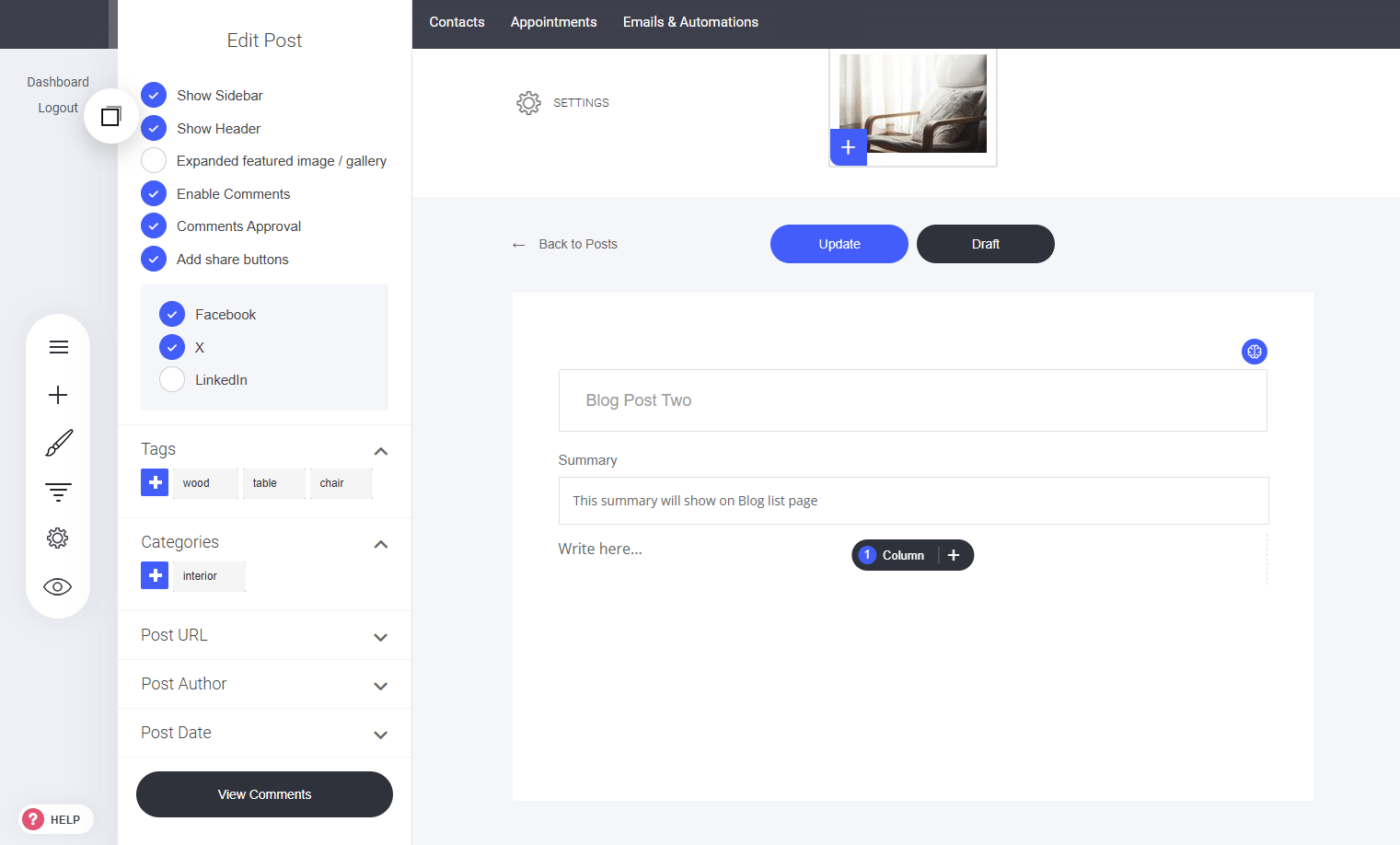
 ### **Article Settings Menu:**
* Show/Hide Sidebar
* Show/Hide Header
* Expand featured image/gallery
* Enable Comments (Allow readers to submit a comment)
* Comment Approval (If selected, you must approve any new comments before they are displayed on the article page.)
* Add/remove share buttons
* [Set Tags to help segment blog posts into groups](/builder/blog/article-settings/blog-article-tags)
* [Categories](/builder/blog/article-settings/blog-article-categories)
* [Post URL](/builder/blog/article-settings/blog-article-url)
* [Post Author](/builder/blog/article-settings/blog-article-author)
* [Post Date](/builder/blog/article-settings/blog-article-post-date)
* [View Comments](/builder/blog/article-settings/blog-article-comments)
### **Article Settings Menu:**
* Show/Hide Sidebar
* Show/Hide Header
* Expand featured image/gallery
* Enable Comments (Allow readers to submit a comment)
* Comment Approval (If selected, you must approve any new comments before they are displayed on the article page.)
* Add/remove share buttons
* [Set Tags to help segment blog posts into groups](/builder/blog/article-settings/blog-article-tags)
* [Categories](/builder/blog/article-settings/blog-article-categories)
* [Post URL](/builder/blog/article-settings/blog-article-url)
* [Post Author](/builder/blog/article-settings/blog-article-author)
* [Post Date](/builder/blog/article-settings/blog-article-post-date)
* [View Comments](/builder/blog/article-settings/blog-article-comments)